|
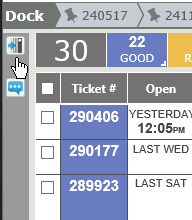
Open Left Column
Collapsed Left Column
|
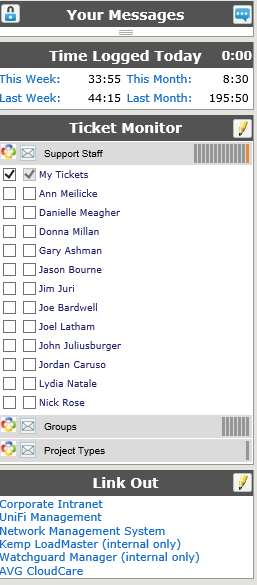
On the top left, the lock icon will lock or unlock the left column area. If it is unlocked, the column will collapse. Hover your mouse over the bar, and the nave will expand. Remove your mouse, it will collapse again. NOTE: If both the left column and either option for the right column are unlocked, the entire home page will show just tickets. Your Messages & LikesAllows for the ability to communicate and share information within the Revelation system outside of tickets or projects. Post and view messages internally which relate to ongoing support issues. Post a new message by clicking on the blue + on the right of the Your Feed bar. The messages will show the person's Profile Image as part of the message.
Time Logged TodayLists your time for Today, This Week, Last Week, This Month and Last Month. Each will link to a report of your time for that period sorted by Client, Project and Ticket. Ticket MonitorAllows you to overlay group or individual user tickets on your home page, so no ticket goes unresolved in someone's absence. Initial configuration is done on your User Information page. After the set up, click on the pencil icon to select more groups or users to monitor. For more information on the Ticket Monitor, click here. Link OutLink out provides quick links to various Internet sites. Sites may be hard-coded into the system in the Staff Settings section under System Configuration in the Admin section. The maximum allowed by Revelation is five (5) links. If five defaults are set, staff will not be able to change those links. However, if available, by clicking on the pencil icon, you will be able to add sites you frequently use. To add a link: click on the pencil icon, type in the URL and display name and click on save when done. |