For a quick tour of the updates, click here.
Server 2026 update (version 26.0)
What's New | |
New Features | |
| Introducing Rai | The Revelation team is excited to introduce Rai (pronounced Ray) – Revelation’s new AI assistant, designed to make your ticketing experience more efficient while maintaining the security you rely on.
From helping fix your action note’s tone to troubleshooting issues in the ticket, you now have an AI assistant at your fingertips for whatever help you need. |
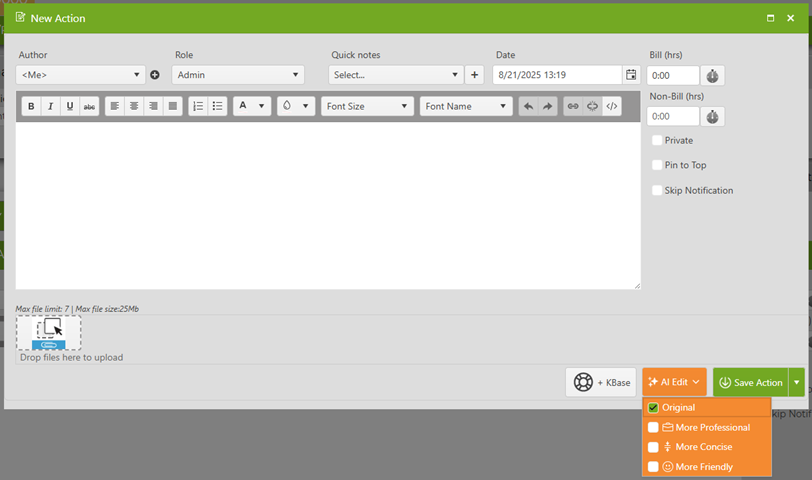
| AI Edit | Rai was designed with user efficiency in mind across the board. With the AI edit feature, you can now get help rewriting your action notes based on your desired tone and intent.
|
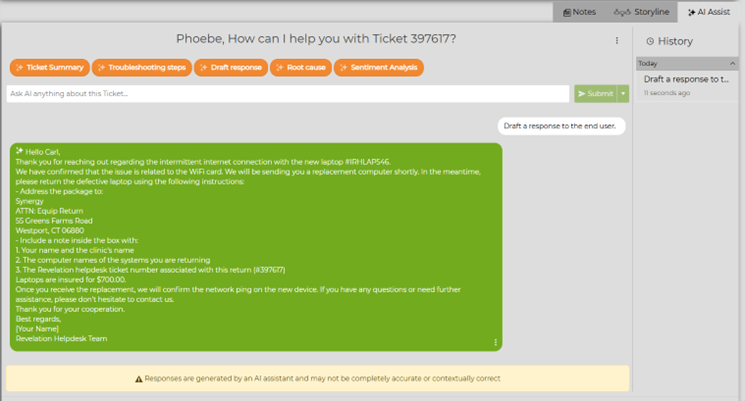
| AI Ticket Assist | Along with helping you fix your action notes, Rai can perform a number of helpful tasks for you and your users, too. With our built-in prompts, you can work with Rai to:
Rai only has access to the data inside your helpdesk – meaning it won’t go looking for information externally. Along with the built-in prompts, you can ask any question about the ticket and get an answer based on your data. |
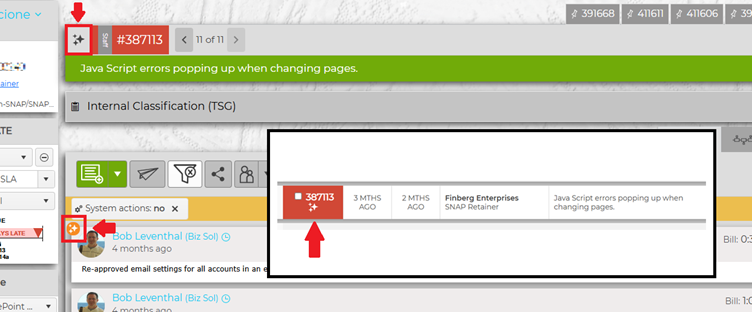
| Rai-Enhanced Visibility | Tickets that use Revelation AI are clearly identifiable, both on your home screen and within your ticket.
On your dashboard, look for the AI icon beneath the ticket number, and on your ticket details page, look at the top left corner of the ticket, or in the top left corner of any AI-assisted action note. |
| Revelation AI: Secure By Design | Revelation AI was built with your data security in mind. Rai is just as secure as the rest of the Revelation platform, ensuring that your data remains your own. 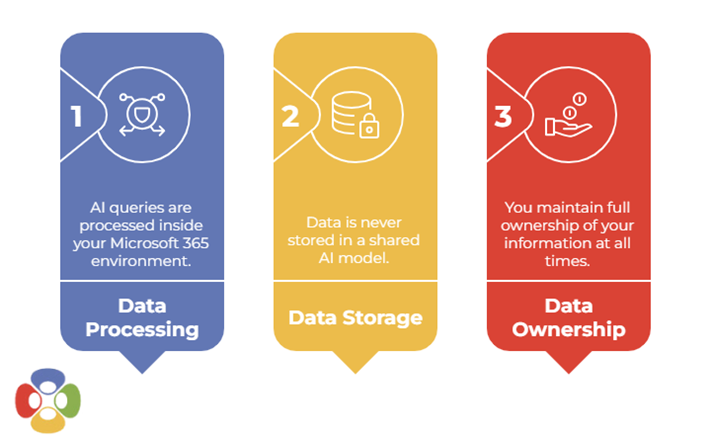 Administrators can configure Rai within your own Azure AI instance, keeping all your data in your own place. Rai’s configuration settings are available in Revelation’s Admin area. |
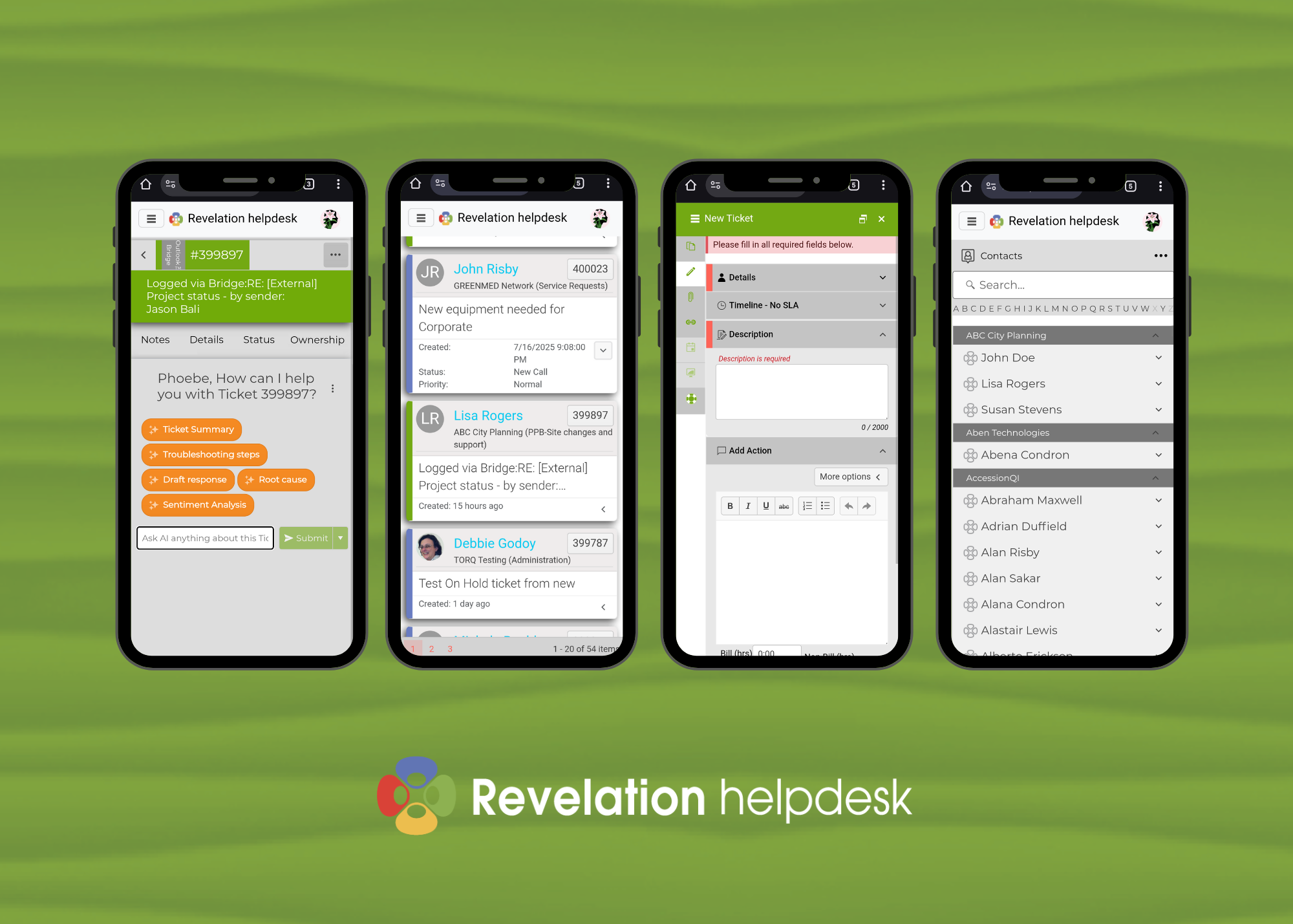
| New Mobile Web App | Introducing the new Revelation Mobile Web App, accessible on any mobile device.
Revelation’s Web App is fully mobile-optimized, designed to make ticketing as easy on your phone as it is on your desktop for your team and your end users. Users can view, log, and work on tickets, jump to a specific ticket, access their Revelation contacts, and use Rai, replacing the legacy ticket app and keeping all your Revelation needs in one browser. |
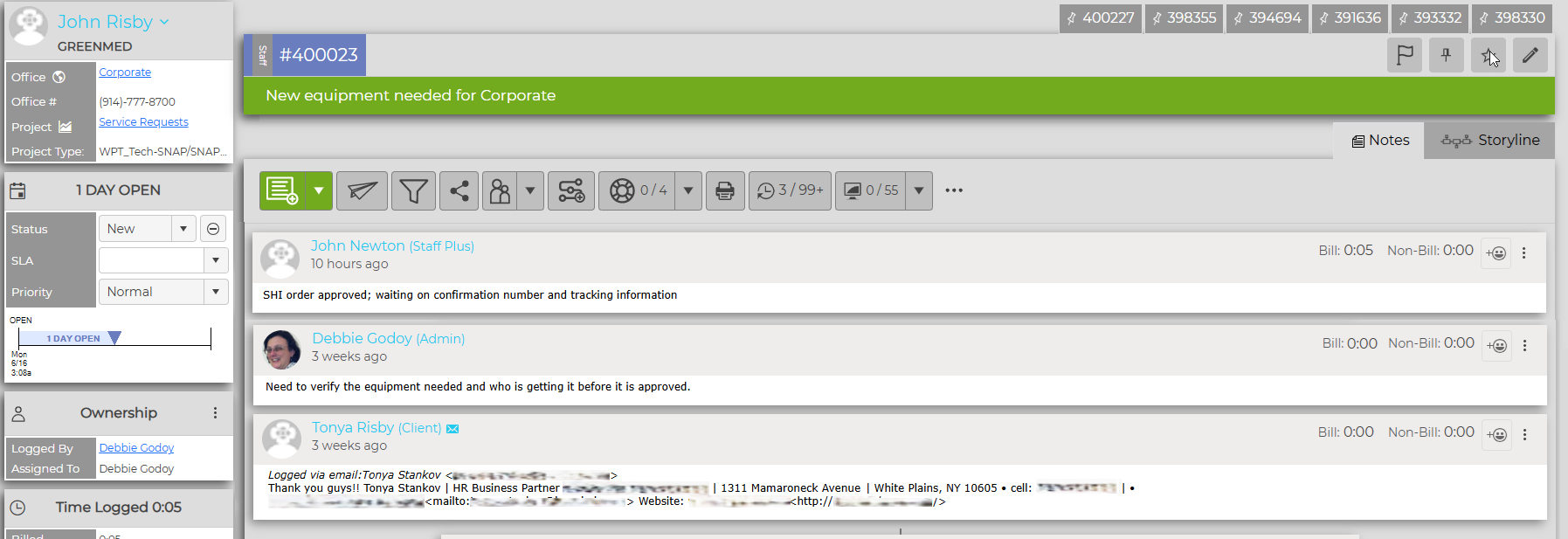
| Ticket Details Refresh | The next phase of Revelation’s ongoing UI refresh is here. 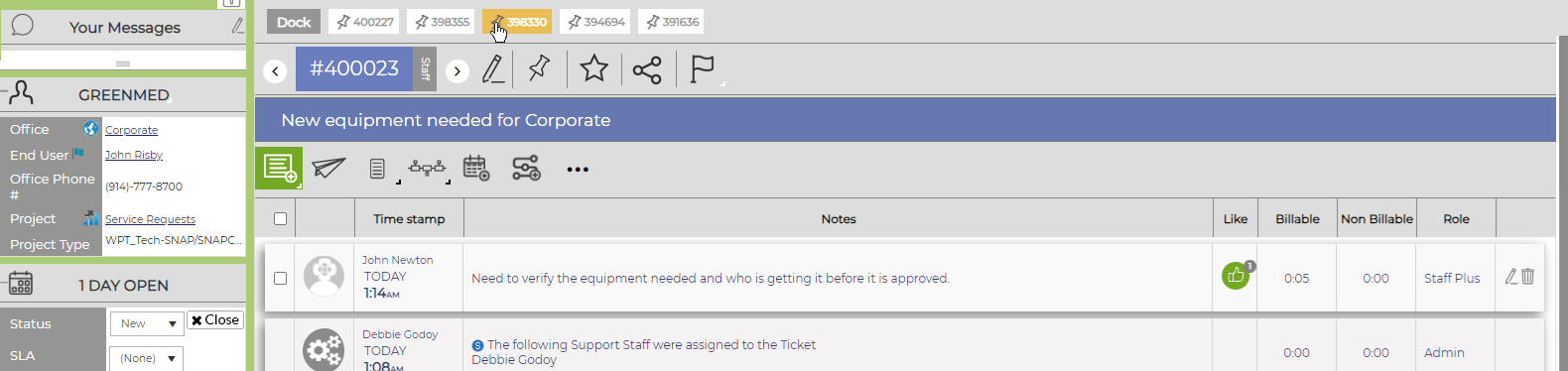
With this latest update, our key focus was on a cleaner, more efficient user experience. From pop-out windows for new actions to a more pronounced filter bar to an update to our quick notes feature, we’ve improved usability all over. |
| Improved Filtering | Revelation’s filtering capabilities just got even better. Users can look for specific ticket types and attachments within any new or existing ticket by utilizing the brand-new search feature. |
| Improved Ticket Referencing | Looking for an easier way to reference another ticket? Revelation has you covered. The Related Tickets feature now allows users to see a snapshot of the existing tickets associated with both the end user and the company – with just the click of a button. 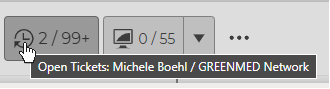 |
| Enhancements | |
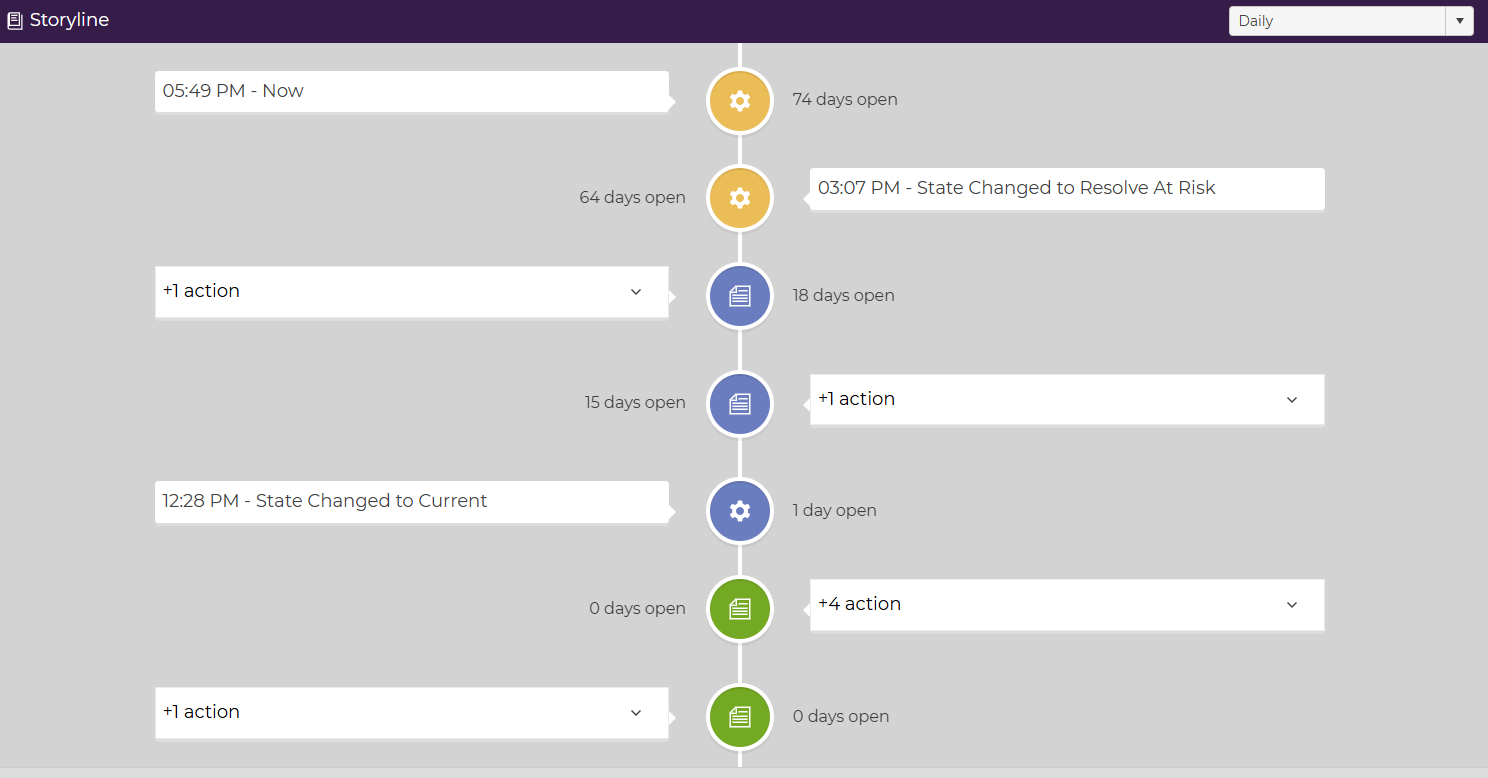
| Refreshed Storyline | Check out our updated ticket storyline feature - now you can take a thousand-foot view of your ticket by daily or hourly actions, with a clean breakdown of each action.
|
| Messages is now Notifications | Revelation’s Messages feature has been moved and revamped – it is now Notifications. All @-tags, alerts, and other notices will appear as Notifications in the right-side toolbar, now visible across the product.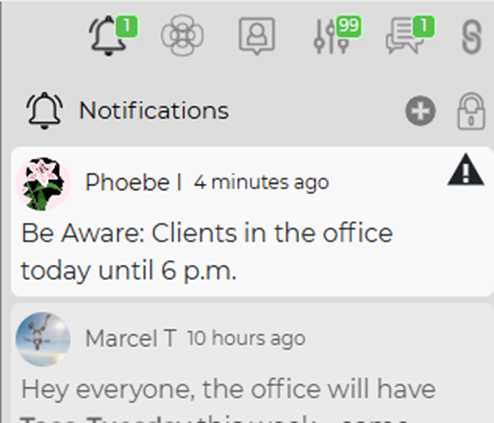 |
| Improved Personalization | The things you use most often can now be re-ordered in the way you want. You can now reorganize your Ticket Details Sidebar: 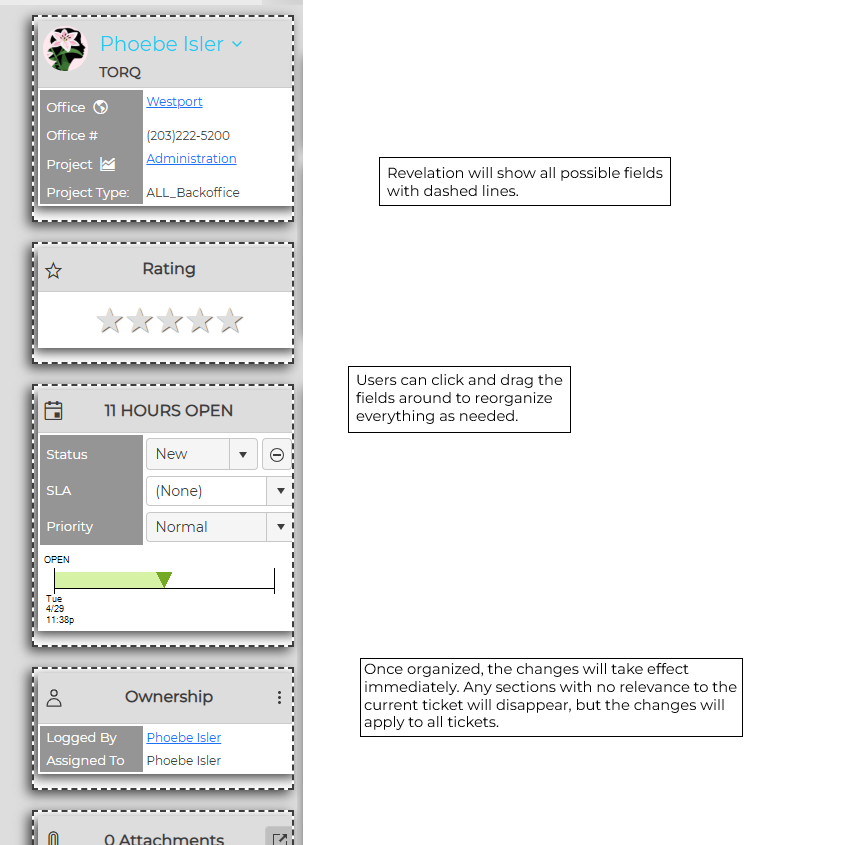 Your Right Column Tools have been refreshed: 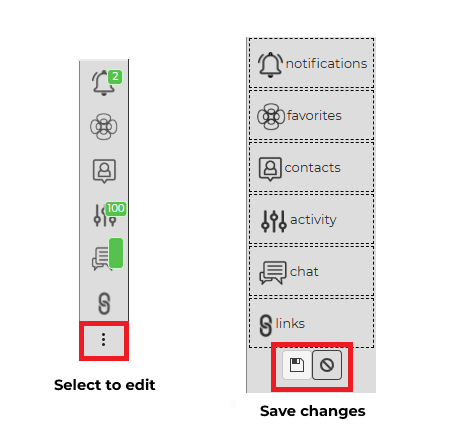 You can now re-order tickets in your Pin Dock: 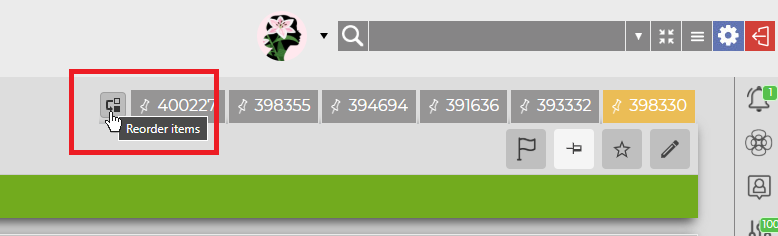 |
| Knowledge Base Links | Want to add a knowledge base article to your external email? How about including one in your action note? Now you can do both. As part of this refresh, you can not only just add a knowledge base article to your ticket: you can link right to it too, from an action note or from an email. |
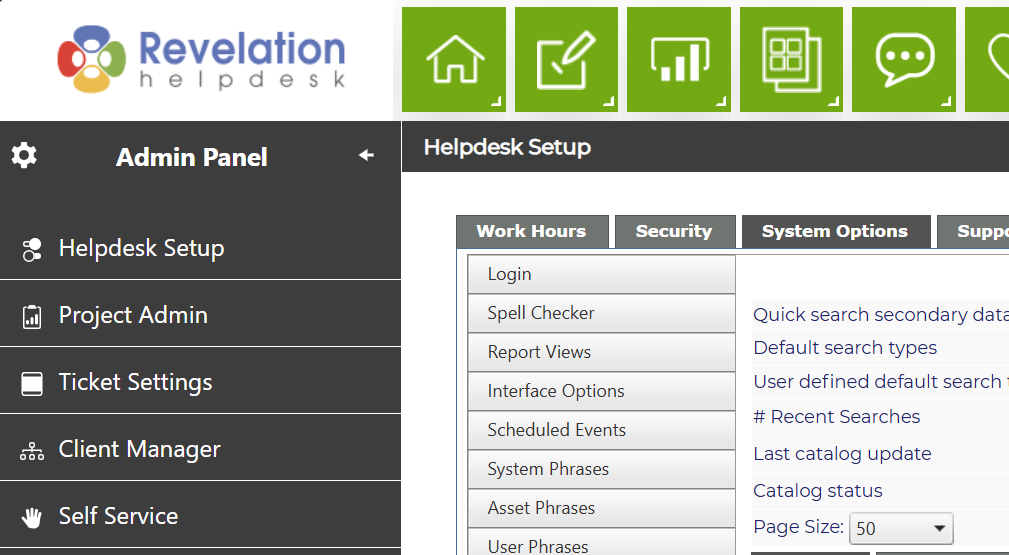
| Admin Panel Refresh | Revelation's Admin area has gotten a touch-up - the redesigned Admin Panel can now be expanded and collapsed as needed.
|