This feature is not available for Core users.
WARNING: Some parts of Authentication are Advanced Features of Revelation helpdesk and should be used with caution.
Single Sign On is activated by clicking on the Off button to On.
Once turned on, the options to Enroll an Azure AD Tenant, and the Identity Providers options will be visible.
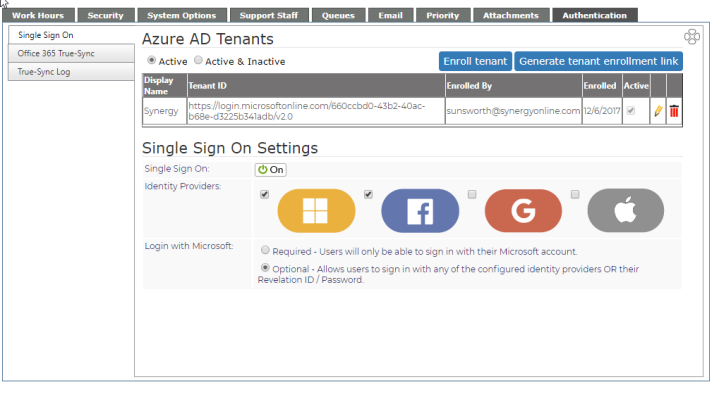
Revelation helpdesk gives Super Admins the option to provide single sign on (SSO) to users via Microsoft, Facebook, Google, and/or Apple
NOTE: You must have a Microsoft Azure AD Tenant to use this feature.
NOTE: If you have a paid business subscription to Office 365, and certain other Microsoft services, you have a free subscription to Microsoft Azure Active Directory. For more information on signing up for the free subscription, click here.
Enroll Azure AD Tenant
NOTE: The enrollment must be done by the Admin of the Azure account. If they are not a System Admin in Revelation, you may need to upgrade their rights before this can be done, or your rights will need to be updated in the Microsoft account.
- Click on the Enroll another Azure AD Tenant button.
- You'll be taken to the Microsoft Sign in screen
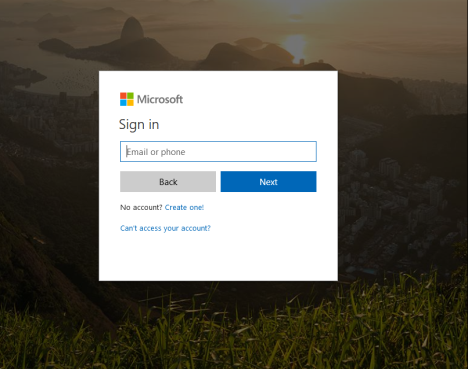
- Log into the Microsoft Account for the tenant (You will need to be an Admin in the Microsoft account)
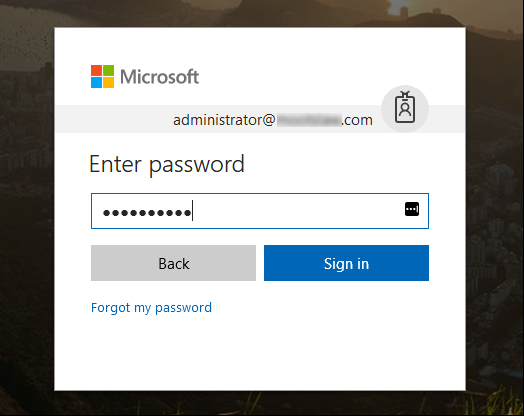
- When the login is accepted, you'll see the Acceptance screen to tie the tenant to Revelation helpdesk
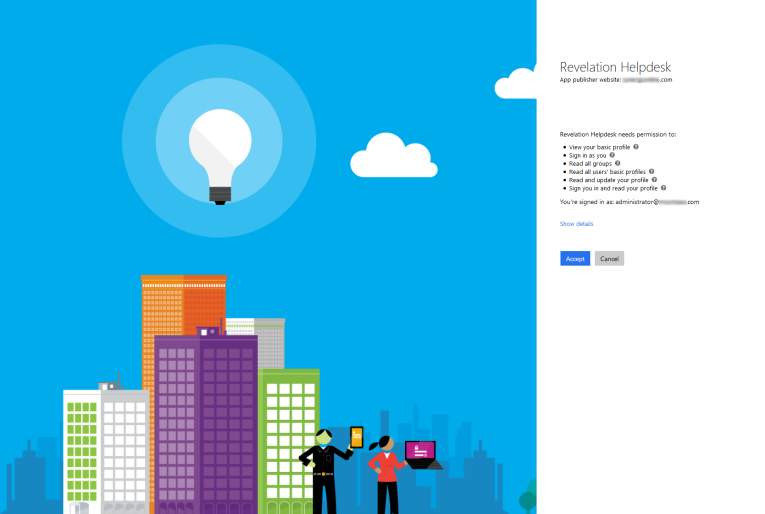
Generate Tenant Enrollment Link
If you are not an Admin in the Microsoft account, you will see the following message:
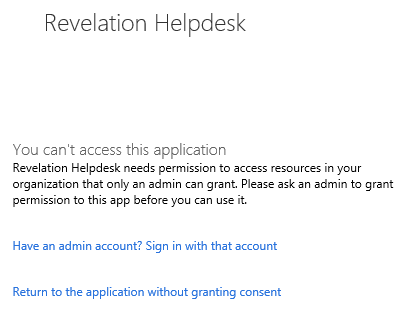
If you receive this message, click on the Generate tenant enrollment link at the top of the Single Sign On page. This will provide an option to create a link to send to the Azure Admin who can do the enrollment.
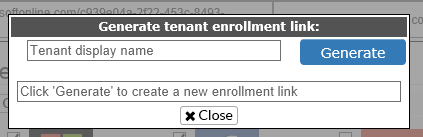
Enter the Tenant Display Name, and click on the Generate button to create the link.
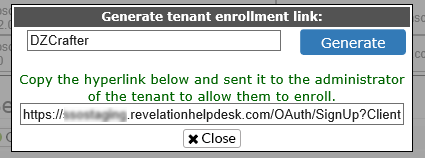
Once you have created the link, copy it and send it to the administrator of the tenant so it can be enrolled in Revelation helpdesk. You will then see Enrollment pending... in the Tenant grid.
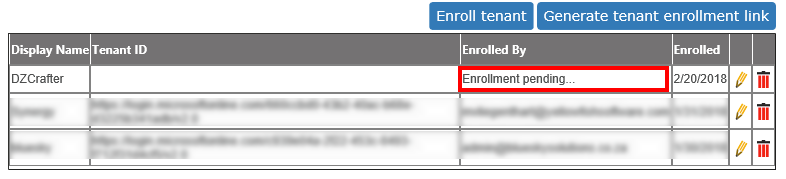
Enroll Multiple Tenants
To enroll multiple tenants, repeat the steps above as many times as needed.
Single Sign On Settings
| Item | Description |
| Single Sign On: | On/Off - select if your Revelation helpdesk will use Single Sign On |
| Identity Providers | Choose from Microsoft, Facebook, Google, and/or Apple |
| Login with Microsoft |
If the Microsoft option has been selected, choose one of the following:
|
All options on:
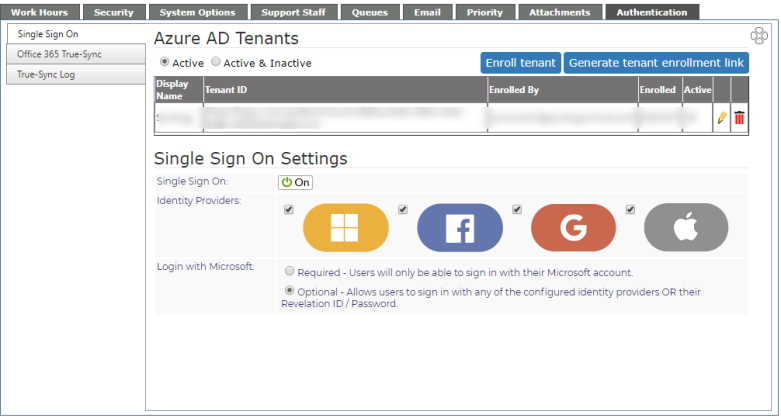
Login with Microsoft Required:
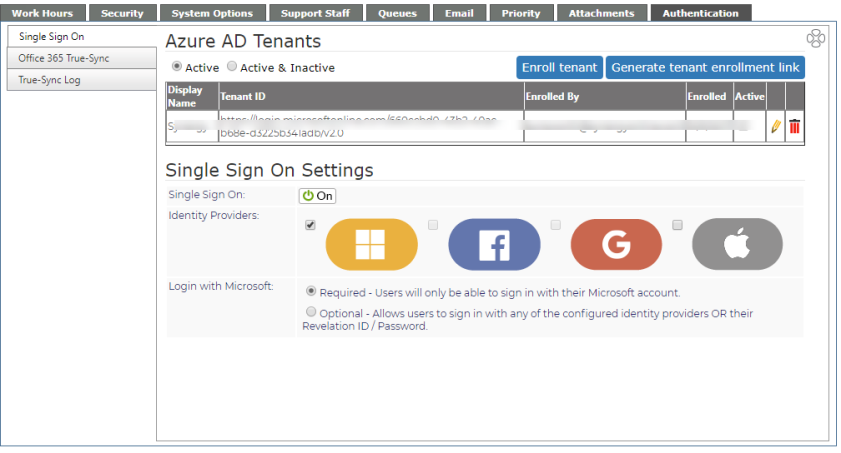
NOTE: Requiring Microsoft for Single Sign On could impact the Revelation Mobile App and the Revelation Bridge for Outlook.