
From within a ticket, a printed report can be created for client review/approval. By clicking on the Print icon in the Ticket information at the top left of the screen, a report with the date, ticket information and actions will be created.
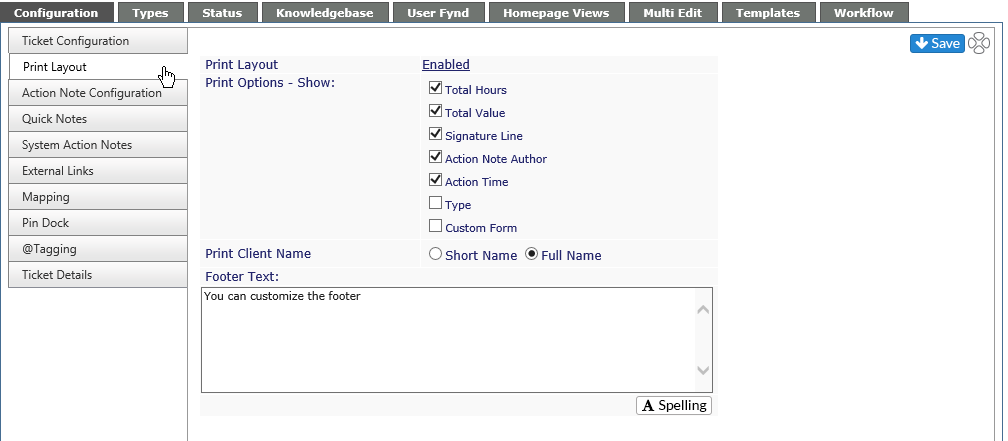
The options here provide the following information. Be sure to click on the Save icon to keep any changes you make. If you don't wish to keep your changes, simply navigate away from the page without saving.:
Print Layout
If Enabled, the Print View button is visible in the ticket. If Disabled, a report cannot be printed from the ticket.
Print Options - Show:
-
Total Hours is the billable time for the ticket
-
Total Value is based on the bill rate of the technician multiplied by the hours in the ticket
-
Signature Line provides a place for the client to sign and date the report
-
Action Note Author provides a column in the printout showing who logged the individual action
- Action Time shows billable and non-billable time for each Action Note. If not active, time will only show as a total at the bottom of the report.
- Type shows the Ticket Type
- Custom Form shows information from the form if active on a ticket.
If any of these are left unchecked, they do not appear on the printout
Footer Text
A customizable note which will be at the bottom of all reports printed from tickets. This does not affect other reports.
The Check Spelling button will not be visible if Spell Checker is disabled.