WARNING: Compliance Contacts is an Advanced Feature of Revelation helpdesk and should be used with caution.
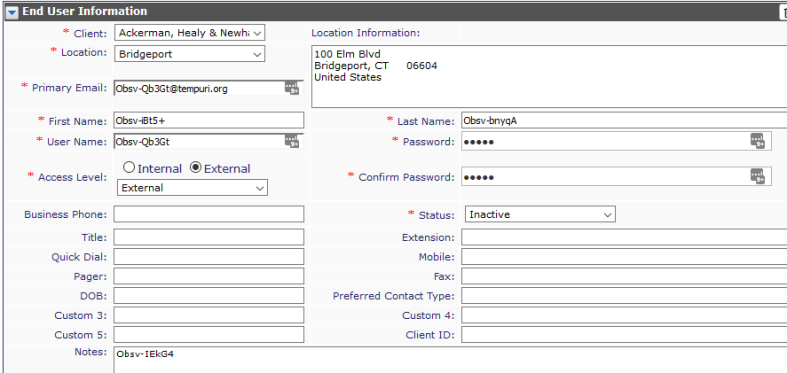
From the Compliance Controls tab, Super Admins may set Privacy Settings to hide a Contact's Personal information, or allow a soft delete (obfuscation) of a User's information. This obfuscation will replace data with random letters and characters.

Hide Contact's Personal Information
By clicking on Hide Contact's personal information, Revelation will 'hide' any End User data not related to the Client information, such has Home Addresses, etc. If this is unchecked, and saved, the information will be visible again.
Allow Contact Soft Delete (Obfuscation)
When this option is checked, you will be given the option in the End User Information area to mask (obfuscate) the user's information. This will keep the data regarding the user's tickets, etc. intact, but all of the personal information (name, email, etc.) will be given a series of letters and numbers to remove the name of the user.
When you turn a user Inactive, you will see the check box to do the Soft delete (Obfuscate):
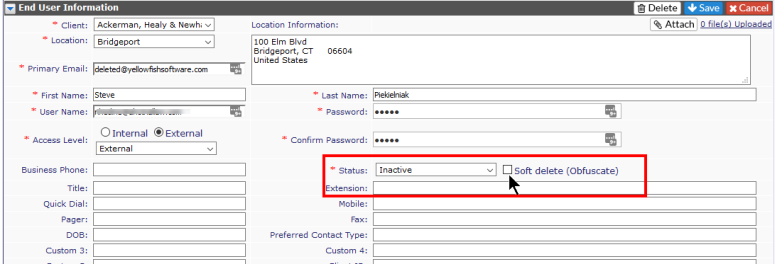
Once you click the box, you will get the following message:

When you click OK, the information will be changed.
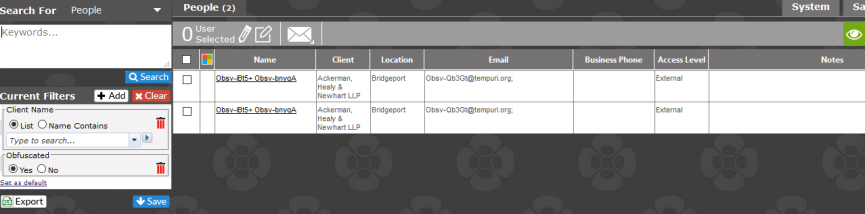
By clicking on the View all obfuscated users link, you will be taken to a search to show the information.
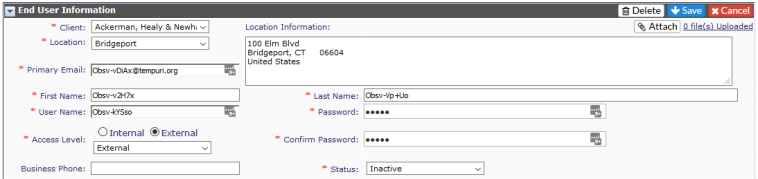
By clicking on the link in the Name column, you will be taken to the End User information page to see how the data has been changed to meet the request.