Accessing the Revelation AI Admin Panel
Super Admins Only
Once the Azure subscription, resource group, and user account are set up, super admins can proceed to configure AI resources via the Revelation Admin UI. Log into Revelation helpdesk and navigate to the admin section and select “Revelation AI” from the left menu.
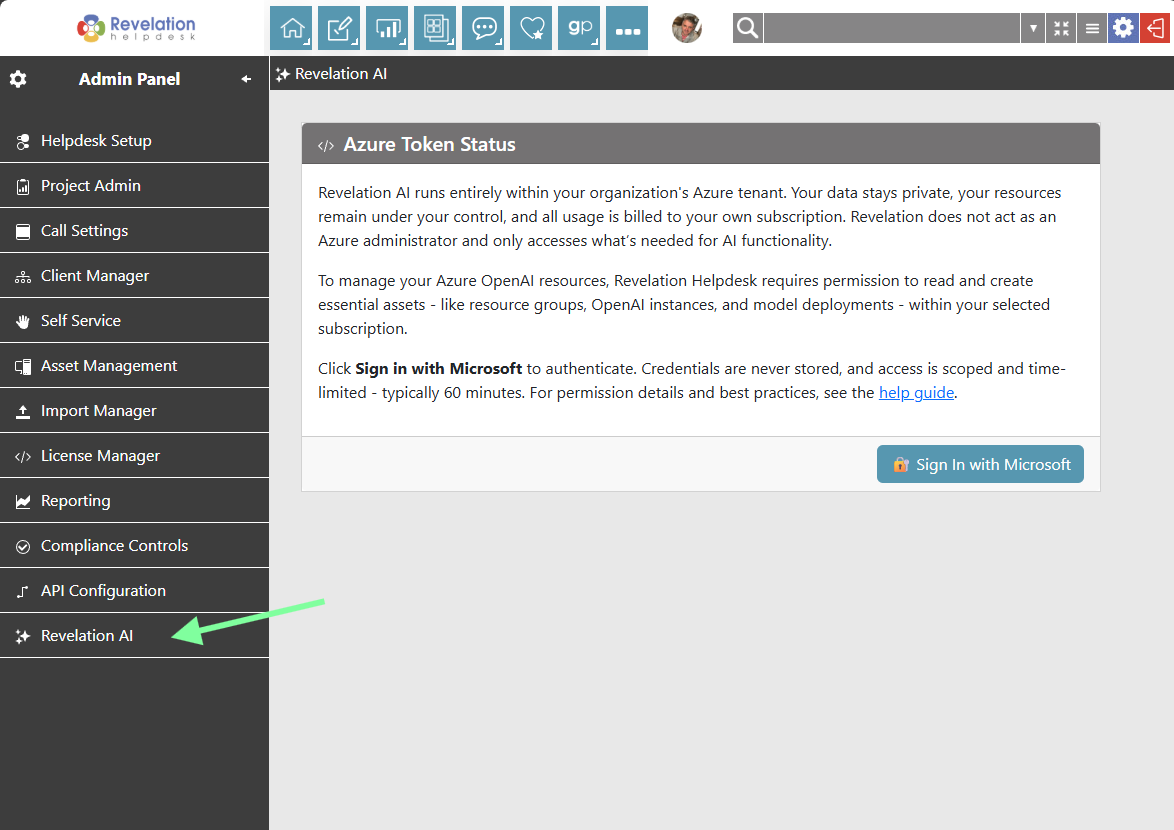
Sign In with Microsoft
- For Revelation helpdesk to create Azure AI resources on your behalf you need to get an access token.
- Click Sign in with Microsoft
- When prompted, enter the credentials of the Azure user created in Step 3 (prerequisites)
This user must have the Cognitive Services Contributor role assigned to the correct subscription.
Token Expiration Notice
After successful authentication, the access token is valid for a limited time — typically 60 minutes. To avoid session timeout, complete the setup process promptly. If the token expires, you’ll need to re-authenticate via Microsoft Sign-In.