
For a quick overview of this feature, see How to Use Ticket Templates
Templates speed the ticket logging process. If there are items which your internal staff, or external clients, log regularly, this could save time, while ensuring the proper time is billed.
From this area, you can enable or disable both internal and external templates, as well as viewing the new Recurring Templates available within your copy of Revelation. External templates allow clients to log tickets using the templates from their sites. Additionally, you can enable scheduled templates to appear in the template list when logging a ticket.
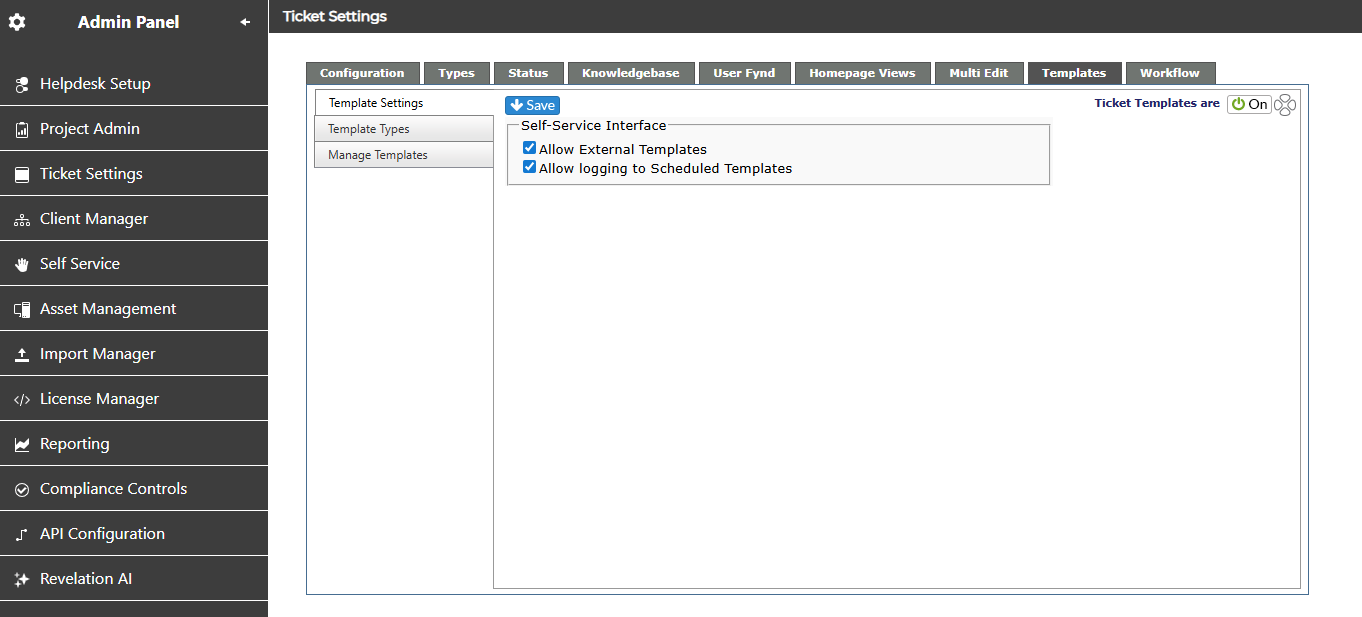
From this area, Super Admins and Admins can do the following:
-
Set up recurring tickets for standard services. Can be scheduled to open daily, weekly, monthly or yearly.
-
Set items for the ticket as you would for a standard ticket, including assigning staff, selecting the project, status, ticket type and sub types (up to 4)
NOTE: If using a template or workflow, the automatically added action notes do not trigger an email to the end user(s).