
@Tagging allows users to tag other users in the system within a ticket to notify them of information, or being added to the ticket. The user will be notified via the Message Feed, the Activity Feed and/or by email they have been tagged to a particular ticket. The options are set in the Admin area.
To tag someone:
- Open the ticket you wish to share with the person.
- Click on the Add an Action button
- Type @ and begin typing the name. A list of available staff will appear.
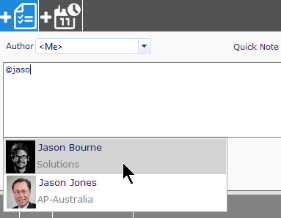
- Select from the options, and the name will auto-complete in the action note
- Complete the information in the action note and click Save.
The message, with the ticket number, will appear in the user's Message Feed, Activity Feed, and if active, they will also receive an email. Clicking on the ticket number link will open up the ticket on their screen.
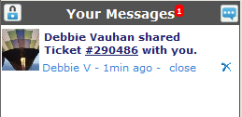
|
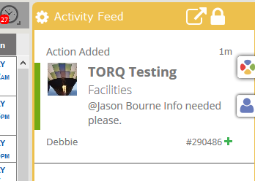
|
After someone has been tagged, the notation will be highlighted in the ticket notes.
