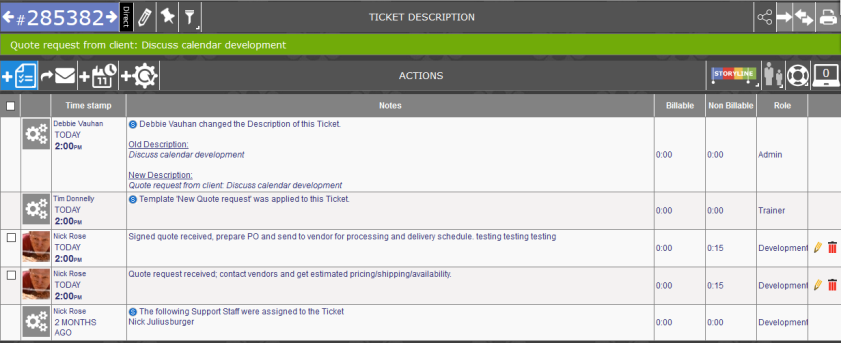
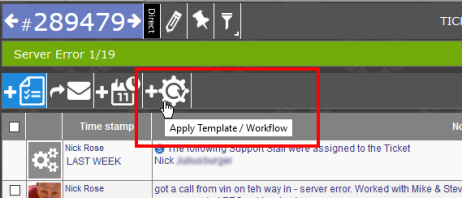
If you have a logged ticket which should have been done via template or workflow, it can be change using the Apply Template/Workflow button. If you have permissions to make the change, you will see the following button:
NOTES:
-
If you do not have access to templates and workflows, the button will not be visible.
- You cannot 'undo' the addition of the template/workflow once it is added in. Please ensure you are selecting the correct template/workflow or that a template/workflow needs to be added.
- Permission is provided via the Permissions tab in the Admin area and is an Advanced Feature of Revelation helpdesk.
To update the ticket:
- From within any ticket, click on the cog, and you will get a drop down showing all the templates and workflows available to you.
- Select the appropriate template or workflow.
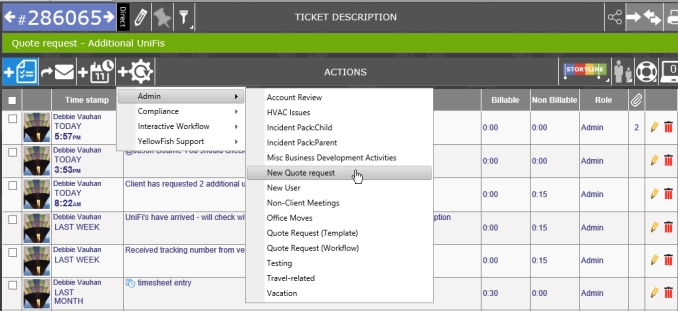
The steps from the workflow, or the actions for the template will be added to the existing ticket. There will also be a system action note added.