
You have the option to set a splash screen for external users. Depending on what is selected, the screen may look like this when they login:
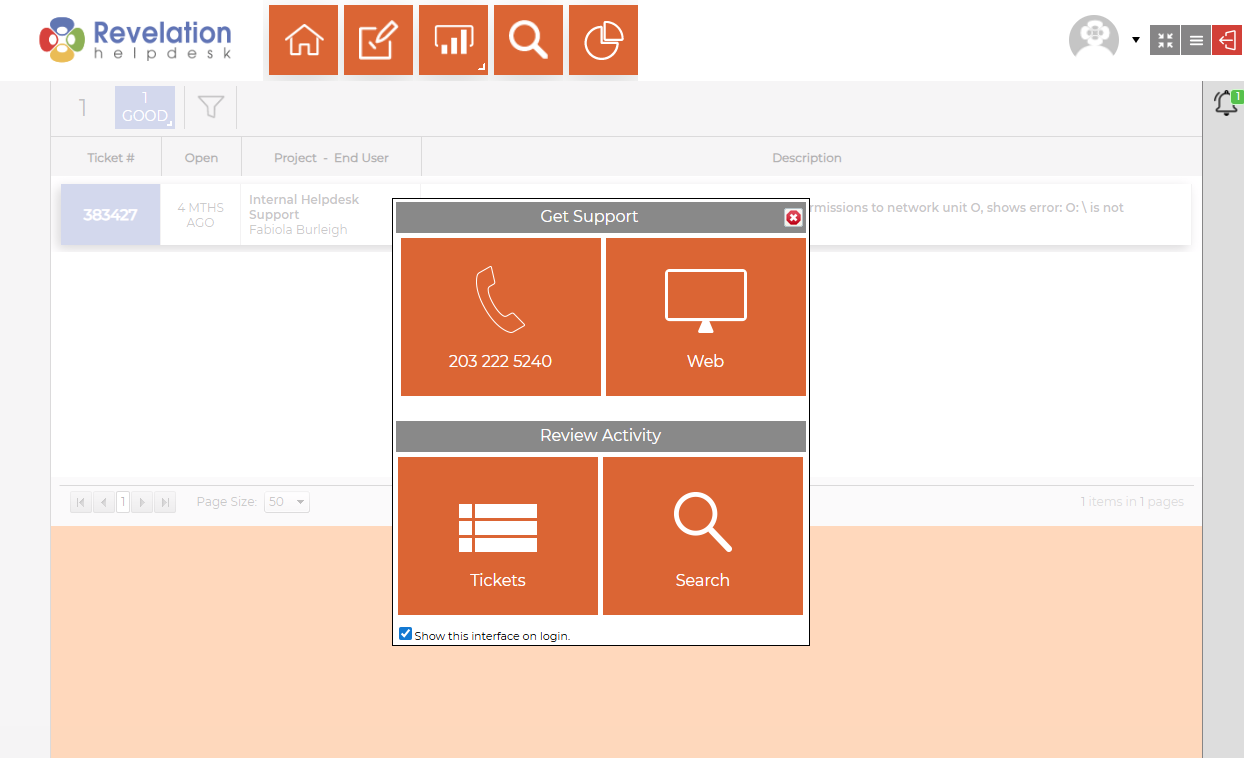
To set up the splash screen, you can select from the following options:
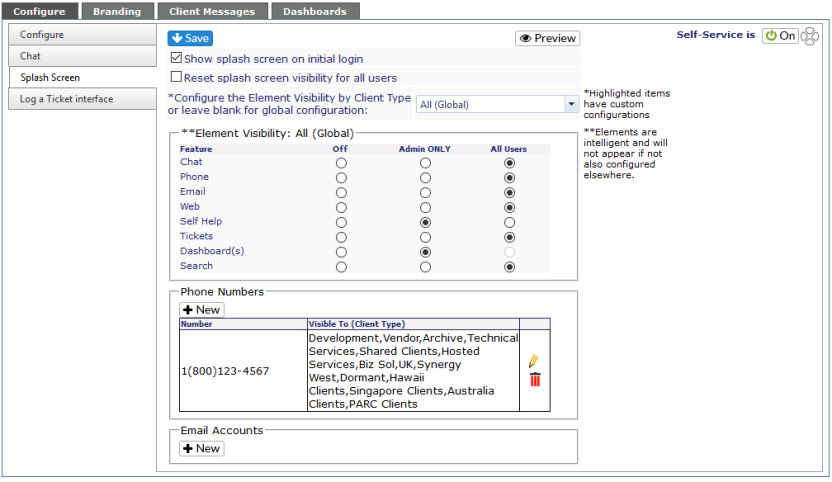
| Preview button | Allows you to see what your external users will see based on their access level. |
| Show splash screen on initial login | When checked, the splash screen will appear every time the external user logs into Revelation. If unchecked, they will not see it at login. |
| Reset splash screen visibility for all users | Resets splash screen |
| Configure Element Visibility | Select Client Types from the drop down and set element visibility by type. Or leave at All (Global) to have the same visibility across types. |
| Element Visibility |
Select the various elements for visibility based on the external users' security level - Admin ONLY, all users or off (not visible to any level). NOTE: If something is not configured within Revelation, it will not be visible to the end users. |
| Phone Numbers | Will show a specified phone number on the splash screen for clients to use. Visible by selected client type(s) |
| Email Accounts | Will show an email address visible to clients by client type(s). Will only work with parser email accounts. |