
When you use the Knowledge Base for the first time, you will see the following:
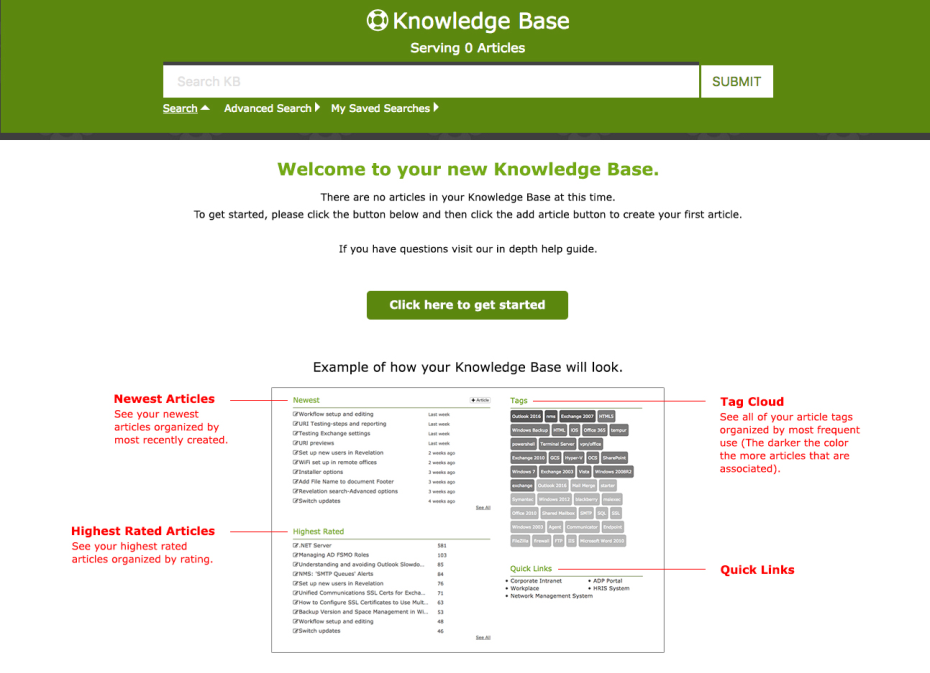
The body of the Knowledge Base home page is divided into four areas:
| Newest | The 10 most recent articles added to the Knowledge Base. |
| Highest Rated | The top 10 rated articles in the Knowledge Base. |
| Tags | Based on the tags added to the articles. The darker the color, the more articles there are associated with the tag. |
| Quick Links | External links from your system. These are the same links shown in the Link Out area of your home page or from within a ticket. |
Each item is a link, so simply click on the item to have it open in the window. To have it open in a new window or tab, right click on the link.