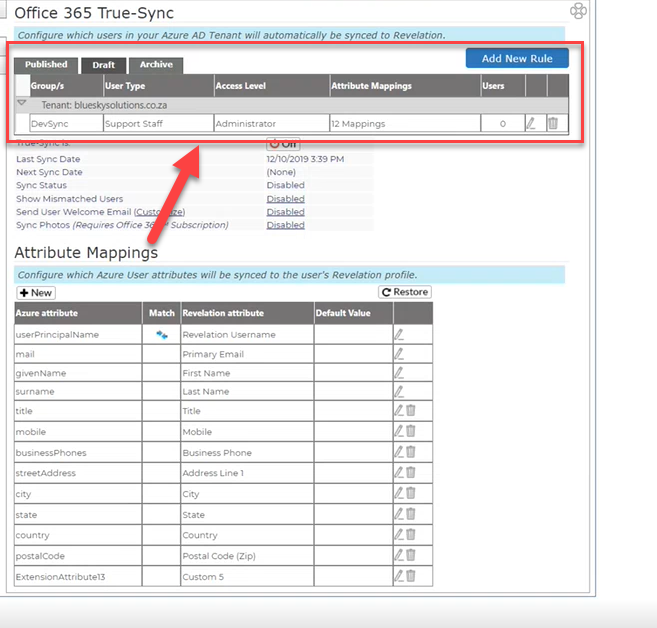
You have the ability to map & sync custom Azure user attributes to custom fields in the Revelation helpdesk.
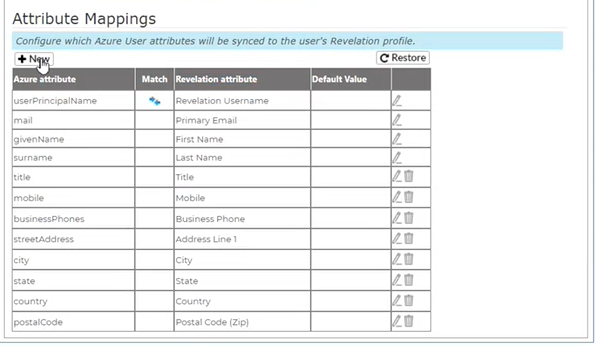
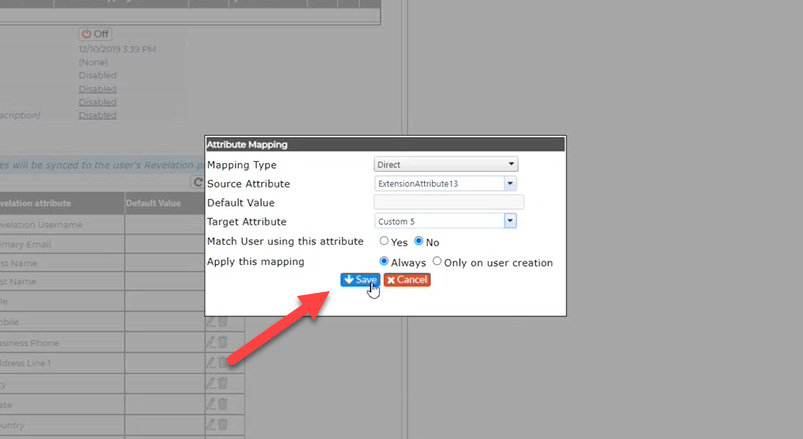
Click "New".
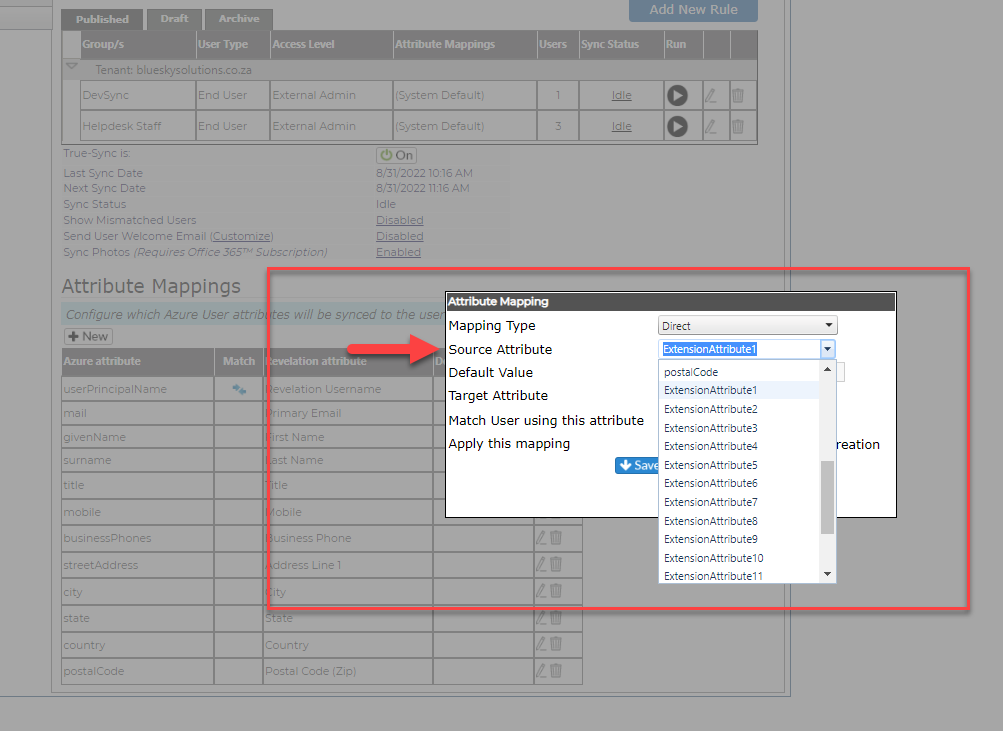
Select the Source Attribute from the drop down.
"ExtensionsAttributes1" through "ExtensionAttributes15" may be used to sync a custom attribute to a custom field within the Revelation helpdesk product.
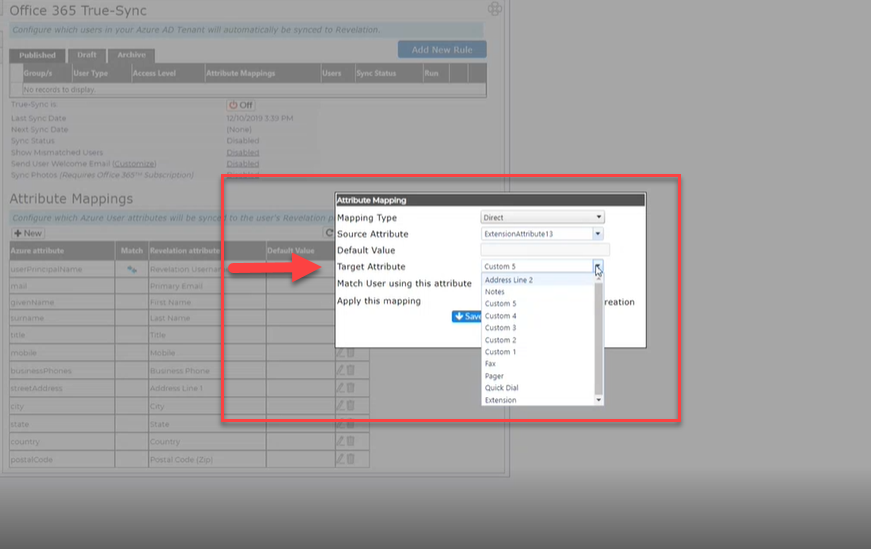
Then select a Target Attribute from the drop down.
The Target Attribute may be renamed/customized to a preferred naming convention.
Click "Save". This will proceed to sync & add the attribute to the Attribute Mappings table.
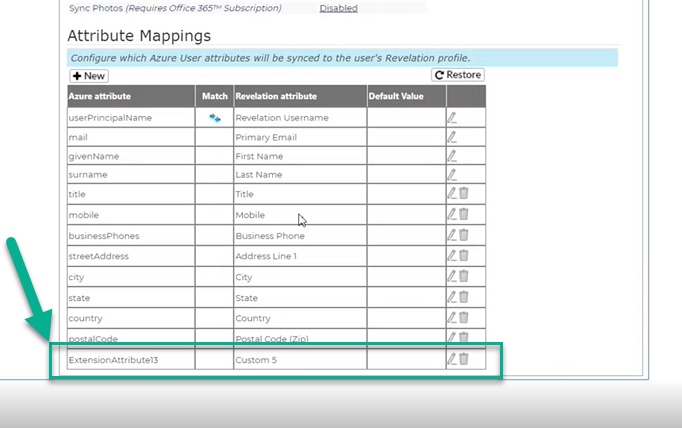
Attribute Mappings will apply to all the rules. Otherwise, you may go into each rule and specify unique mappings for just that rule; or just inherit from the default mappings.