---
title: "Add New Knowledge Base Article"
id: "add-new-kb-article"
project: "Revelation Server 2026"
url: "https://revelationhelpguide.clickhelp.co/articles/revelation-server-help-2026/add-new-kb-article"
updated: 2025-10-10T21:41:04Z
---
# Add New Knowledge Base Article

Permission to add a new article from a ticket or from within the Knowledge Base area is done in the [Admin](/articles/revelation-server-help-2026/knowledgebase/a/Allow) area. If you do not have permission, see your system admin.
## Add article from a ticket
To convert a ticket quickly into a Knowledge Base article, hover over the Search Knowledge Base option in the Ticket Toolbar drop-down menu and select **Add to Knowledge Base**.
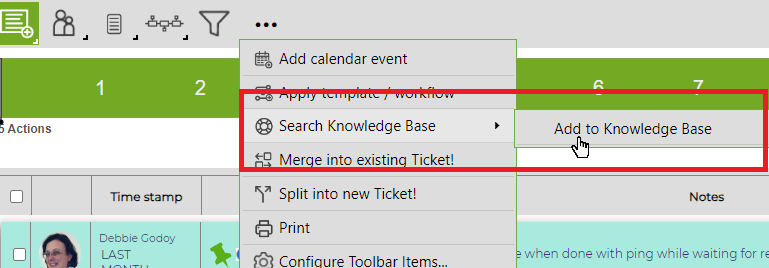
A screen will appear where edits can be made to the text. Tags can be added and the visibility (Internal/External/Both) can be set. The option "Both" will include the article in both the Internal and External cloud.
## Add article from the Knowledge Base
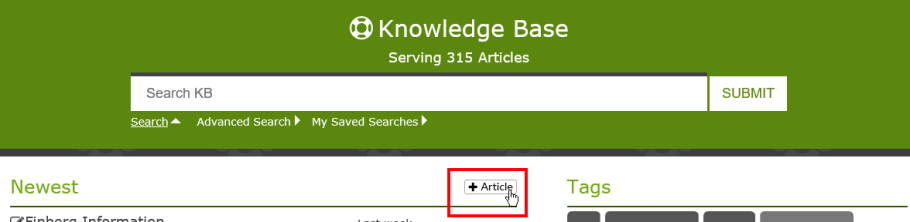
To add from the Knowledge Base page, click on the Add Article button at the top of the page.
In each case, the following screen will appear:
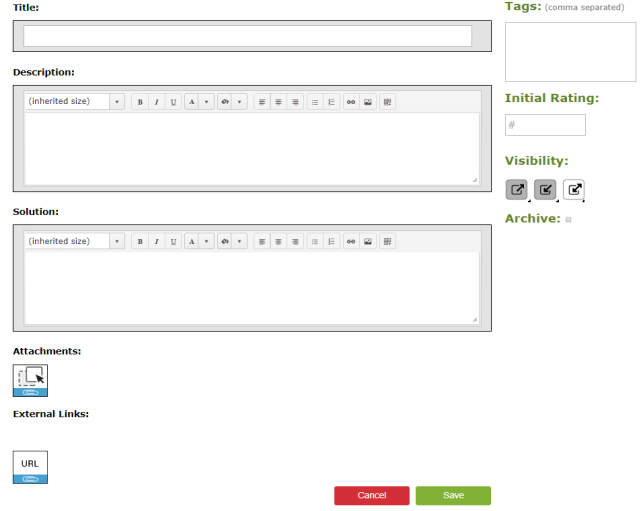
Fill out as follows:
| Title | Put in a title for your article. |
| --- | --- |
| Description | A brief description of the article.
*If you are adding the article from a ticket*, the number and description will auto fill, and may need to be edited. |
| Solution | Type in the detail of the solution.
*If the article is being added from a ticket*, the action notes will auto fill in the solution and may need to be edited. |
| Tags | Add tags related to the article. These will show up on the home page of the Knowledge Base, and will aid in searching articles |
| Initial Rating | Leave this blank. As the article is rated, it will auto fill. |
| Visibility | There are three levels of visibility for the articles: External (visible to external end users), Internal (visible only to internal users) or Both.
For more options using Visibility, click [here](/articles/revelation-server-help-2026/kb-visibility). |
| Archive | If visible, check this box to archive an article. Once archived, only Super Admins will be able to access the articles. |
| Attachments | Add attachments relevant to the article. This is available if attachments are allowed on your copy of Revelation. |
| External Links | Add URLs related to the article. Once the article refreshes, there will be a thumbnail of the site shown. |
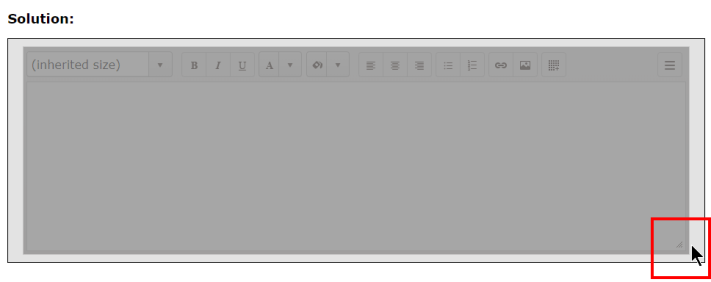
**NOTE**: If you want to make the boxes larger while you're working on the article, grab the three lines in the lower right corner of the box. The box will turn a darker gray while you're expanding the size.