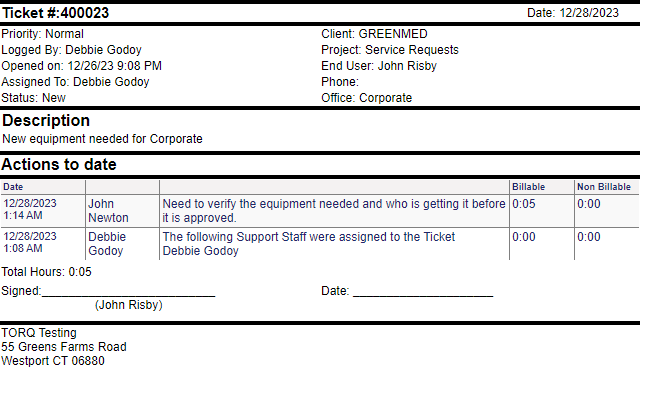
Sometimes, you need a client to sign off on work done or a client requests a report on a particular ticket. Through Revelation helpdesk, you can print the ticket out.
In the Ticket Toolbar, there is a Print View button in the drop-down menu.
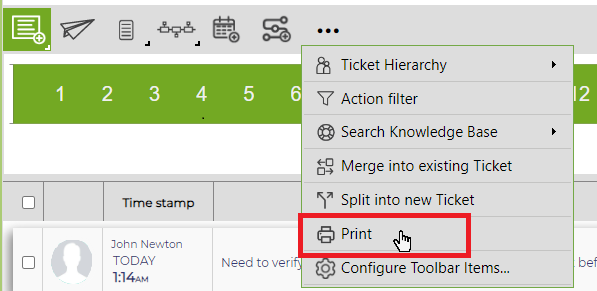
Simply click on the button, and a report will be generated in a new window. The options of a Signature Line, Total Hours, Total Value and Action Logged by information for the report are set up in Print Layout area on the configuration tab in Ticket Settings.
A sample report is below: