
Multi Asset Edit allows users of Revelation to edit multiple assets in the system at the same time. Ability to use this feature is based on their user level or team membership. Only Super Admins can activate or deactivate this module for Revelation.
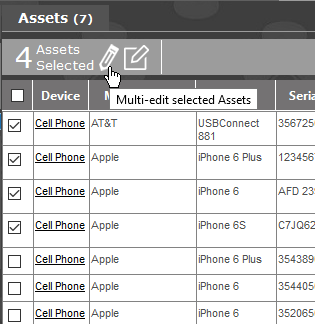
When you select assets from one of the ways listed above, the Multi Edit bar will appear showing the number of users selected, the edit pencil, log a ticket icon and email icon.
Multi Asset Edit Settings
Multi Asset Edit can be done from the following areas in Revelation:
- End User list in Client Manager
- Search
To edit multiple assets, select the assets from the list, then click on the pencil icon:
A dialogue box will appear allowing you to edit available fields.
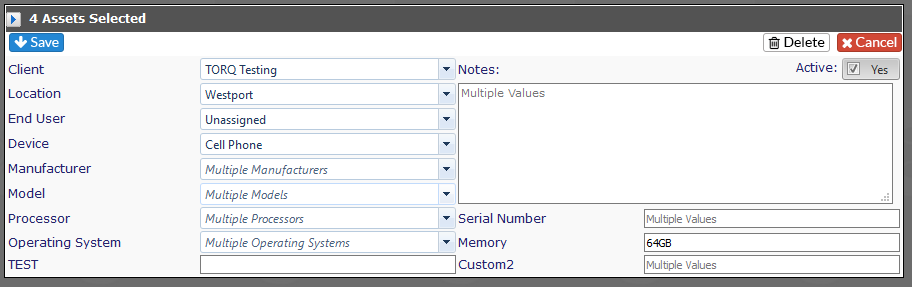
Once any changes have been made, click Save. The updates will be saved to all the selected assets. If you click Delete, all the assets will be deleted from Revelation. If you don't want to make any changes, click Cancel.
Bulk Ticket Logging
Bulk Ticket Logging can be done from the following areas in Revelation:
- End User list in Client Manager
- Search
Select the users from either the End User List for one client, or from Search for multiple clients and click on the Log a new Ticket icon in the Multi Edit function at the top.
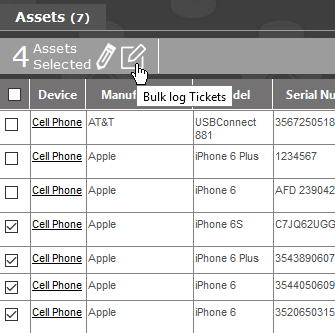
Once you click on the Bulk log Tickets icon, the standard Log a Ticket screen will appear. At the top, instead of a single end user, it will let you know how many assets are selected. Since there may be multiple clients, the tickets will be logged to the Client's primary project.
NOTE: If no primary project is set for the Asset's Client, the ticket will be logged to the most recently created active project in the Client's Project list.
Depending on the Log Options settings you have for a new ticket, you may be taken into one of the tickets. You will be able to page through the tickets using the arrows located by the ticket number.
NOTE: If a Gameplan project is the default, the ticket will be logged, but no workstream will be assigned.
When the tickets are logged, they will appear on the home page.