
This area allows you to add time for all clients across a Project Type. This is especially useful when you have a monthly retainer or credit for a group of clients which has to be added at a regular interval.

Add Time Credits by Project Type
-
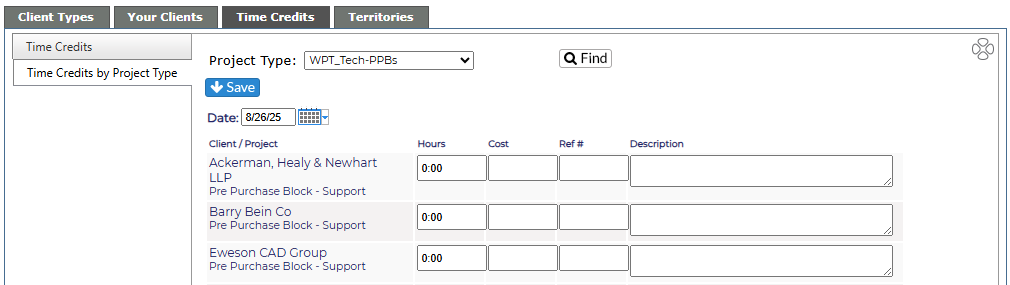
Select the Project type from the drop down screen, click Find.
-
All clients and projects associated with that cost center will display on the screen.
-
Put in the date when the credits need to appear in Revelation. Using this feature, monthly retainers can be added at any time before the first of the month, but won't appear until the appropriate date.
-
Add the hours, cost, reference # (invoice or quote number) and description (additional web work, network install project, etc.) for each client.
-
-
NOTE: Not every client has to have information added. You can skip those who do not have time/invoices to add.
-
-
Click on the Save button to keep the information or navigate away from the page to discard the entries.
-
You will see a list of the credits added to the project selected.