Note: This is set up in the Admin Area for Configure Self-Service.
For External Admin Level Users Only
|
Summary |
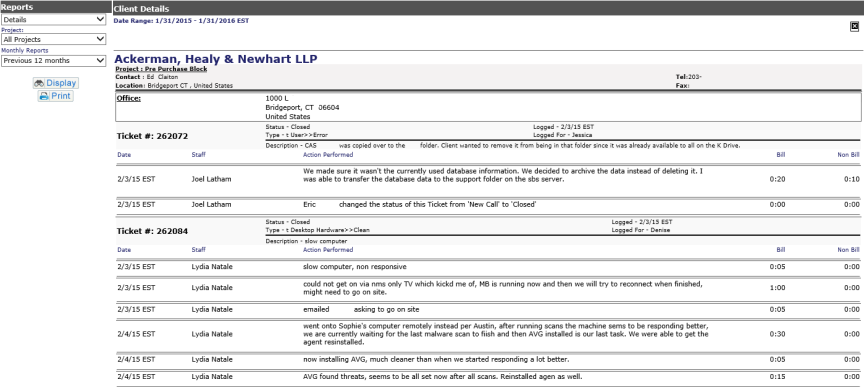
Pull down for Summary (closed tickets) or Detail view (all tickets) of report |
|
Project |
All Projects (default). Pull down provides list of specific projects which have reports from the previous 12 months. |
|
Monthly Reports |
Previous 12 months (default), or select specific month of published reports |
Hit Display to view. When report displays, there will be a Print View button. This formats the report printable via your browser's print function.
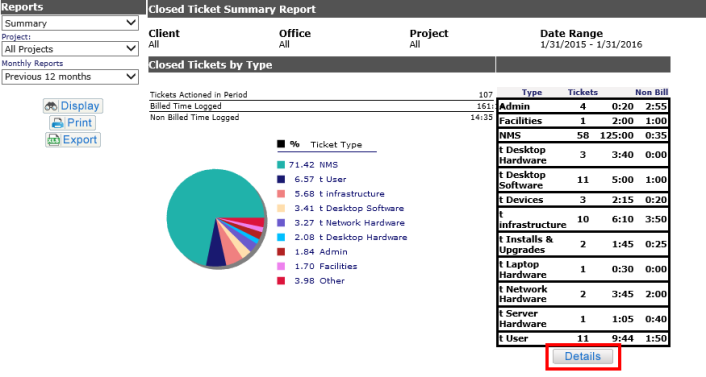
If you run a Summary Report:
A Details button shows on the right, allowing you to run the same report and show specific ticket details.
Summary Report
Detail Report