Note: This is set up in the Admin Area for Configure Self-Service.
Here is a breakdown of the various KnowledgeBase (KB) Filters for Search:
|
Filter |
Description |
Additional Information |
| Created |
Predefined |
|
|
On |
Enter a specific date or use the calendar drop down to select a date |
|
|
After |
Enter a date for search to use as a starting point and will search beyond this date. |
|
|
Before |
Enter a date for the search to use as the end date for the search |
|
| Range | Enter a specific start and end date for the search | |
|
Last X |
Select the appropriate amount of time for the search to go back (hours/days/weeks/months/years) and enter a number into the text box. 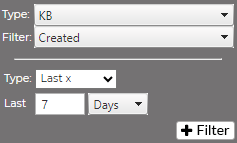 |
|
| Updated |
Predefined |
|
|
Equal |
Enter a specific date or use the calendar drop down to select a date |
|
|
Greater Than |
Enter a date for search to use as a starting point and will search beyond this date. |
|
|
Less Than |
Enter a date for the search to use as the end date for the search |
|
|
Range |
Enter a specific start and end date for the search |
|
| Author | Select name from drop down | |
| Rating | Select the type of rating (None, Greater Than, Less Than) and type in the desired value in the text box. | 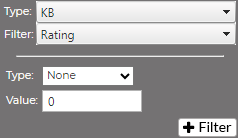 |