You will see all tickets you have logged.
Admin Level User: You will see all Tickets logged to your company. You are also able to get different views of the home page grid. To see some of the options, click here.
If you have been set up by your provider as a Regional Manager or a Location Contact, you will see the tickets associated with your Region or Location, as well as your own tickets.
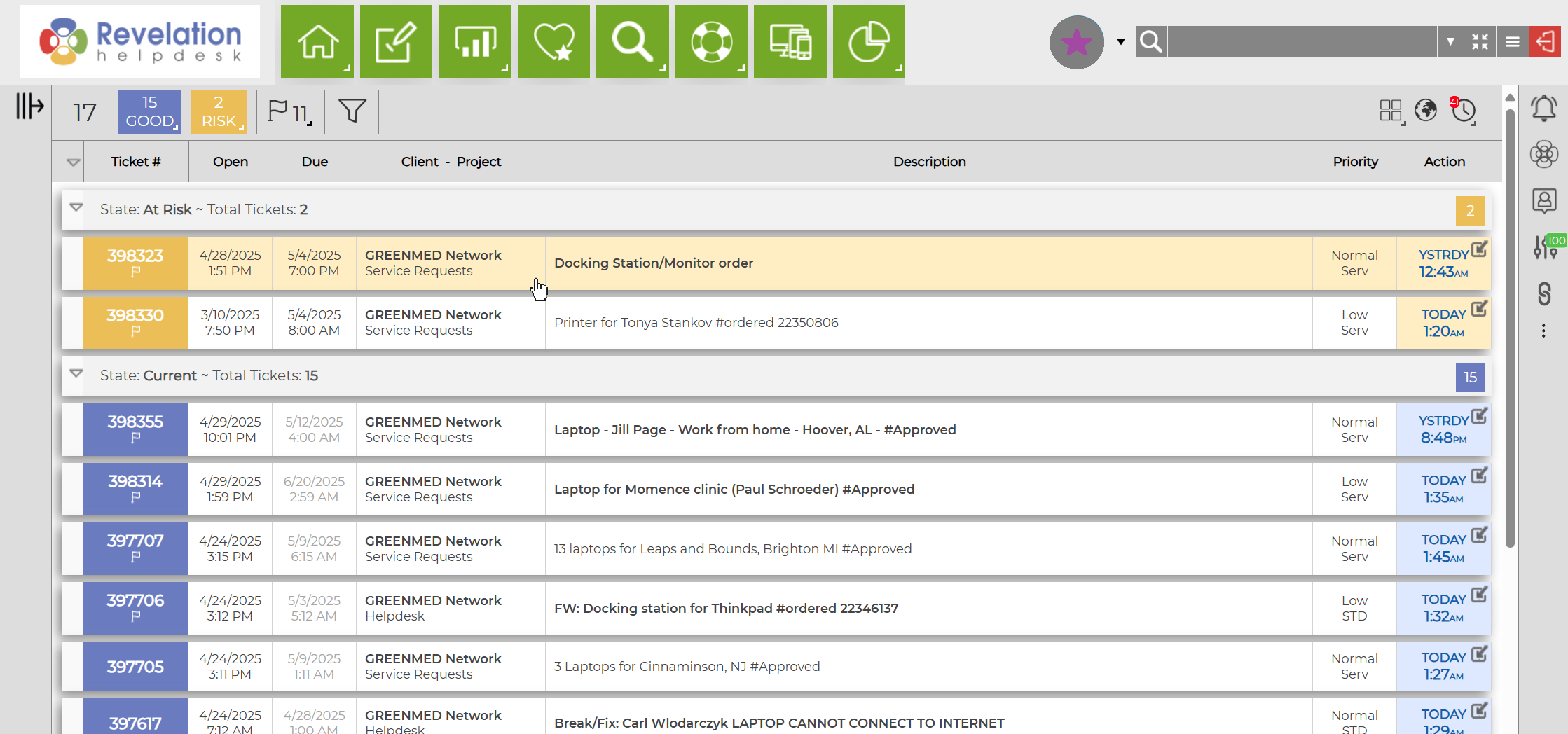
Tickets can be sorted by any of the headers on this portion of the page.
Admin Level User: An additional column of Contacts will be displayed showing who logged the ticket from your company. This column can also be sorted by clicking on the header.
Tickets are color coded as follows:
- New tickets are green
- Good tickets are blue
- At Risk tickets are yellow
- Late tickets are red
|
Staff Home page* (Shown without Notification Feed) |
|
|
Administrative Home page |
|

* If the Staff Member has been associated on a ticket not logged directly by them, they will also see those tickets on their home page.