
From this area, Super Admins and Admins will be able to see where the forms are being used. By clicking on the arrow in front of the form, you will see the clients using that form. By clicking on the plus sign in front of the client name, you will see which project or projects are using the form.
|
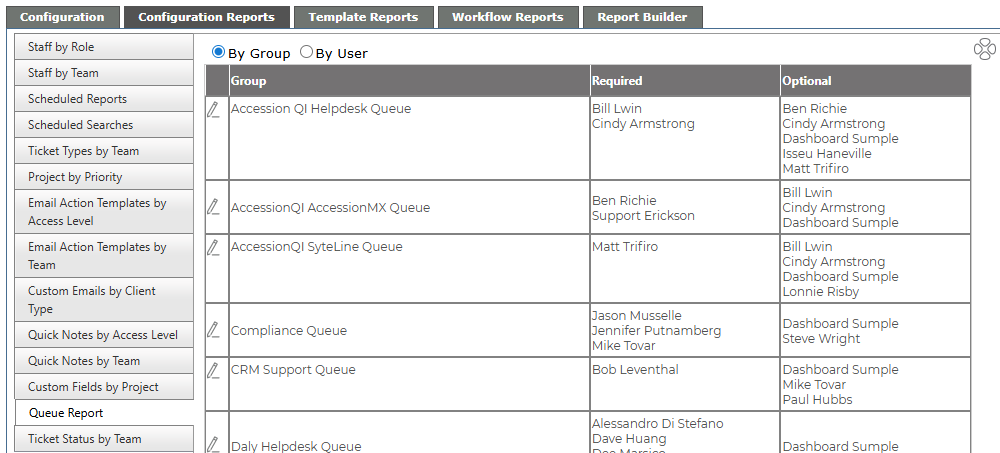
By Group Shows a listing of all the Groups set up in Revelation, with the Required and Optional staff broken out. Click on the edit pencil to be taken to the Group Configuration area to make any necessary changes. When you are done, click on the View Group Configuration Report link at the top of the page to return here. |
|
 |
| By User
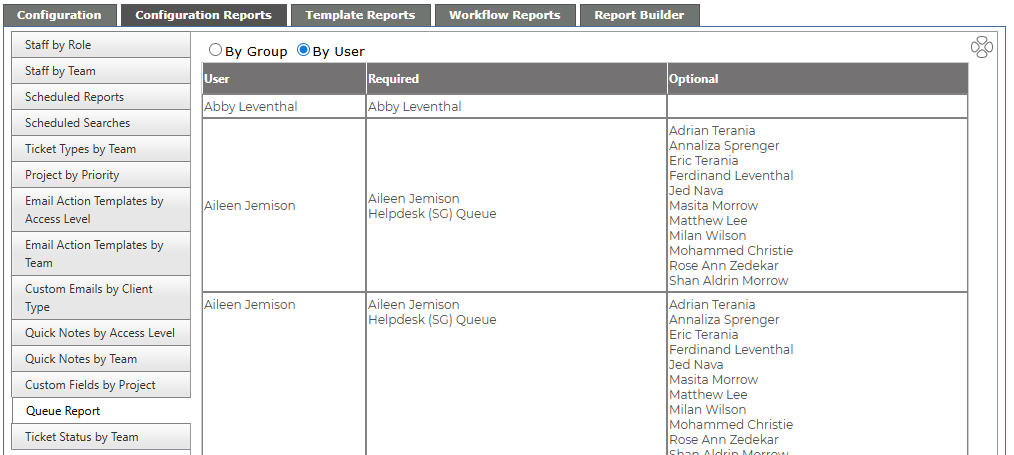
Provides an alphabetical listing of Users, and shows which Ticket Monitors they are required on, and which they are on as an Optional user. |
|