
The Revelation helpdesk Power BI App provides sample data when first installed.
To integrate your Revelation helpdesk data into the app, please refer to the Connecting your Data section of the Helpguide, or by clicking here.
Below are just a few examples of the various ways to create reports (using the provided sample data).
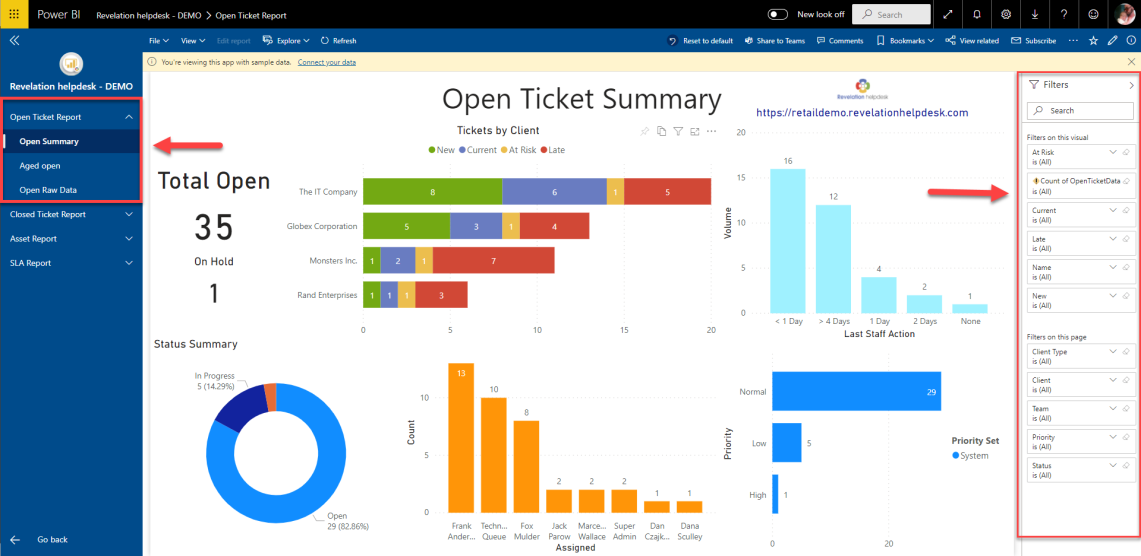
Sample 1: Open Ticket Report
Featuring an Open Summary, an Aged open, or an Open Raw data dashboards with the ability to filter the tickets based on a variety of filters. Filters may include by Client Type; by Client, by Team, by Priority or by Status.
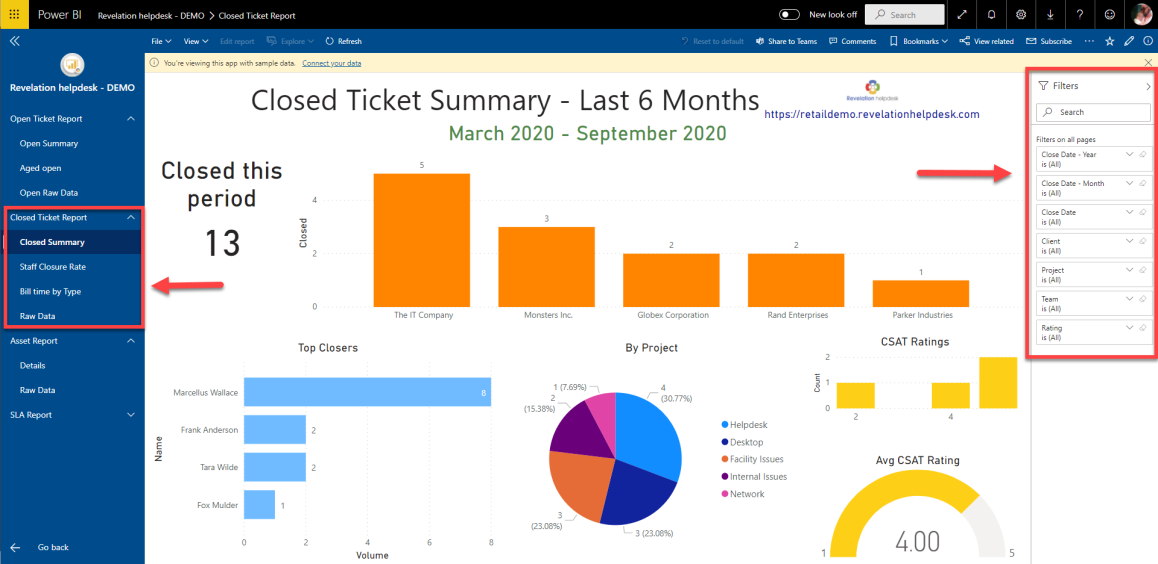
Sample 2: Closed Ticket Report
Featuring a Closed Summary, a Staff Closure Rate, and a Bill time by Type dashboards with the ability to filter. Filters may include by Close Date, by Client, by Project, by Team or by Ticket Rating.
*Please note: A Closed Ticket Summary will ONLY have the ability to pull data from the previous 6 months.
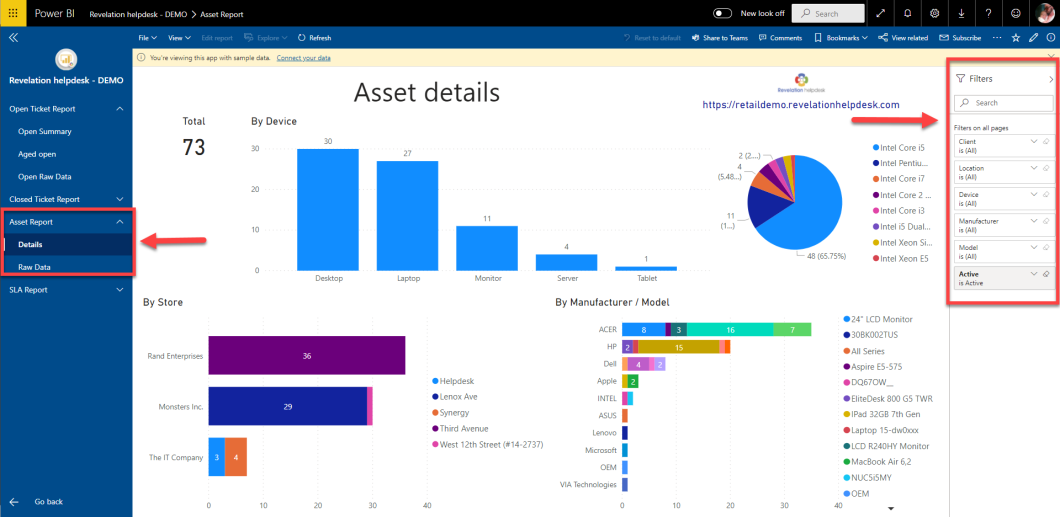
Sample 3: Asset Report
Featuring anAsset Details, dashboard with the ability to filter. Filters may include by Client, by Location, by Device, by Manufacturer, by Model, or by an Active status.
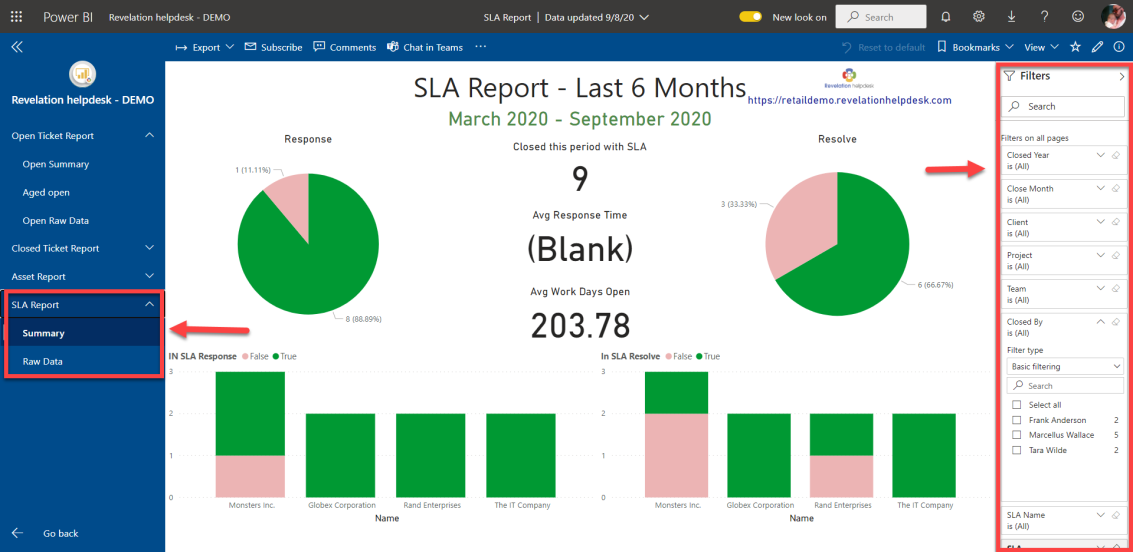
Sample 4: SLA (Service Level Agreement) Report
Featuring a Summary dashboard with the ability to filter. Filters may include by Closed Day/Month/Years, Client, Project, Team, & Closed by.
If further assistance is needed, please refer to the documentation regarding Microsoft Power BI by clicking here.