
The Power BI App allows you to take data from your Revelation helpdesk and create a report.
Please note: In order to use the Power BI App service and reporting, a license for Power BI is required. Please refer to the Power BI documentation in the Administration section of this Help Guide for installation and configuration. The Revelation helpdesk Power BI intended for users who are highly proficient in Power BI & it's functionality
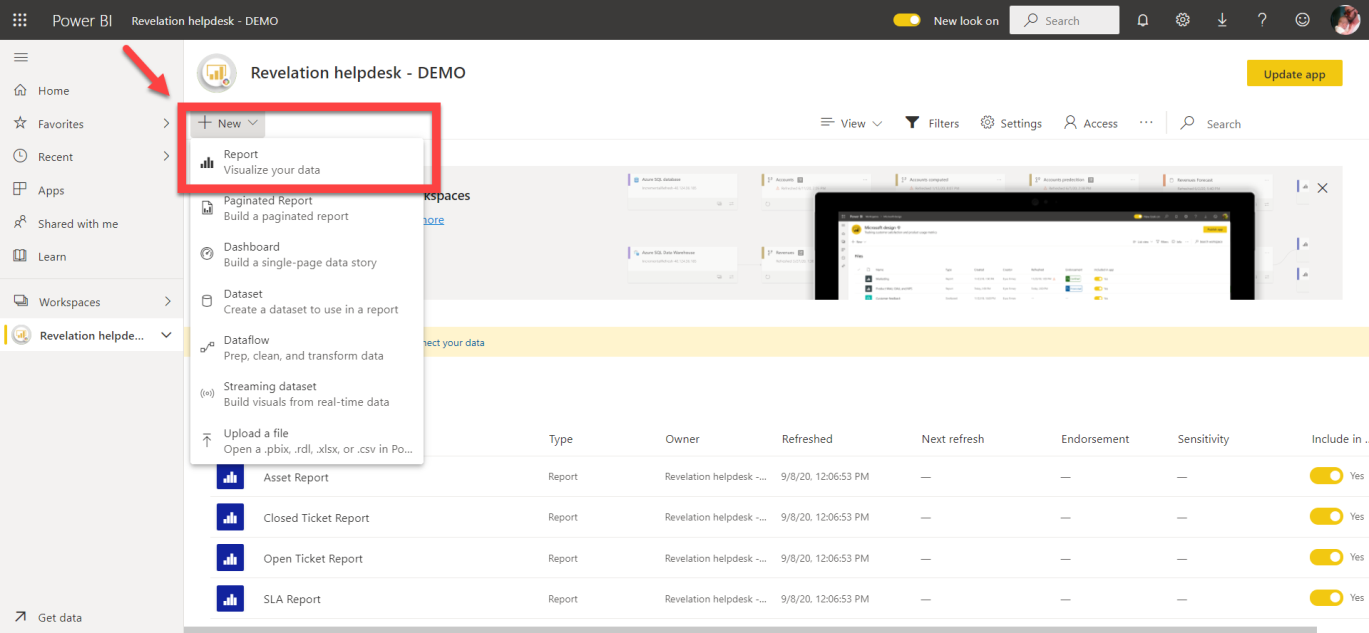
1.) In the Power BI App, select Workspaces and select the Revelation helpdesk Workspace. Select New and click Report.
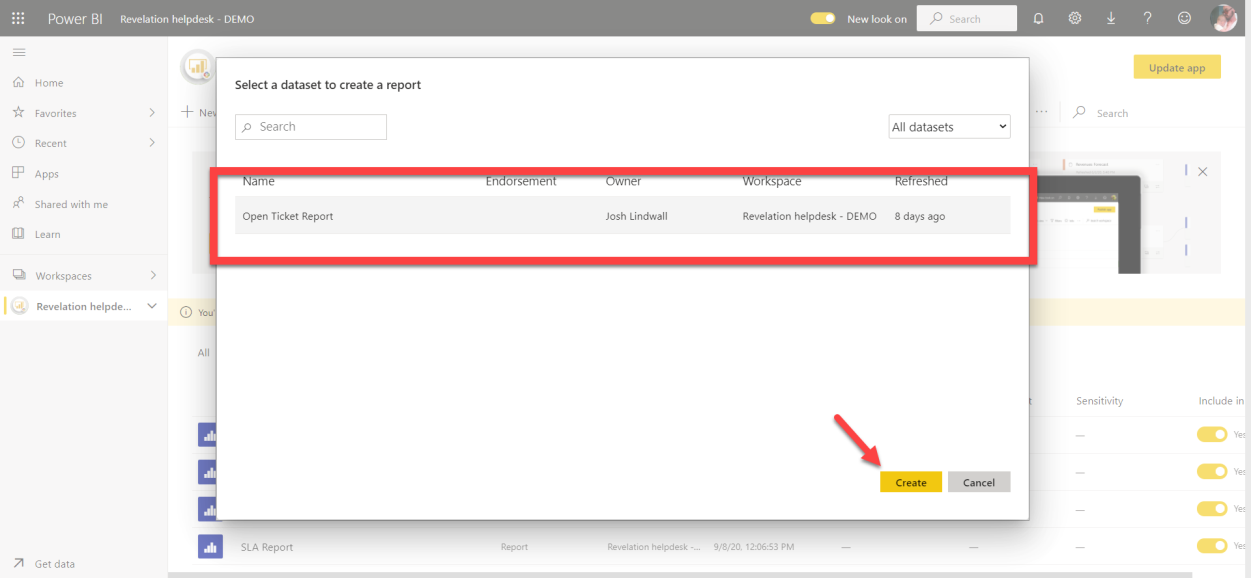
2.) Next, select a datasett to create a report; and click Create.
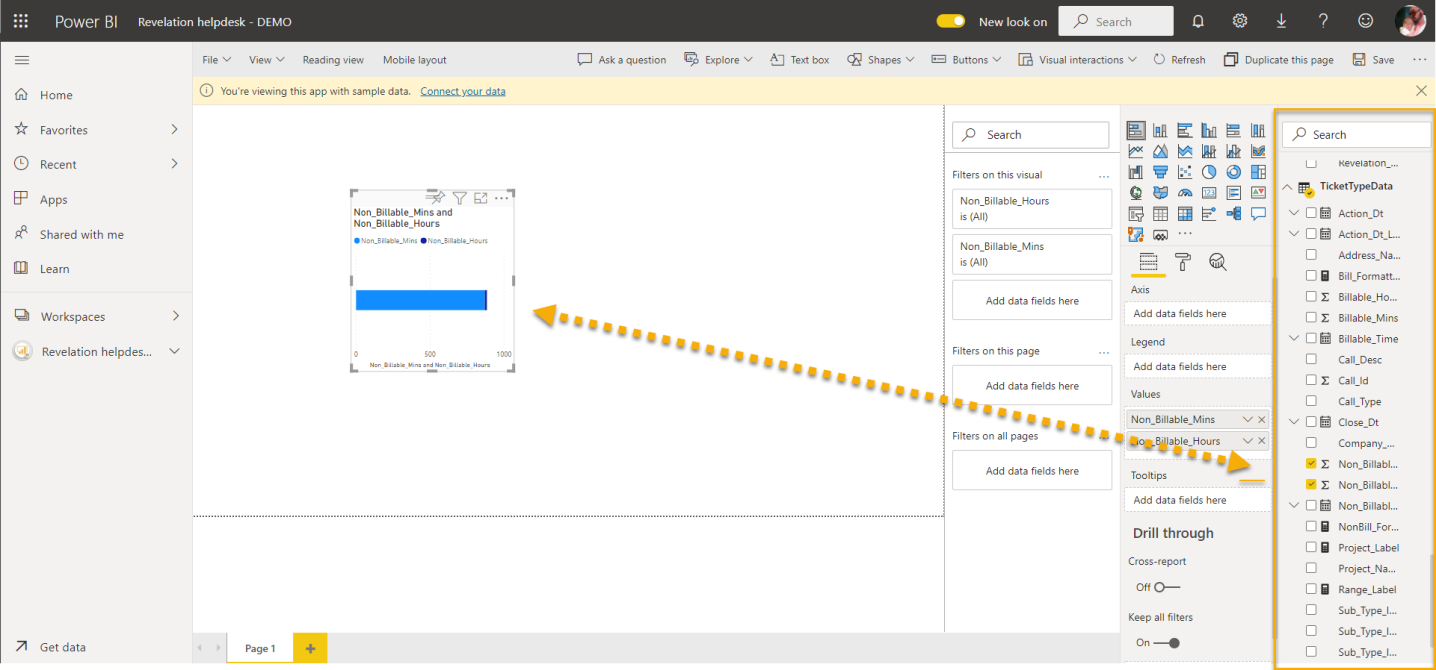
3.) Select a filter for the data, and drag it onto the dashboard. You may select multiple filters.
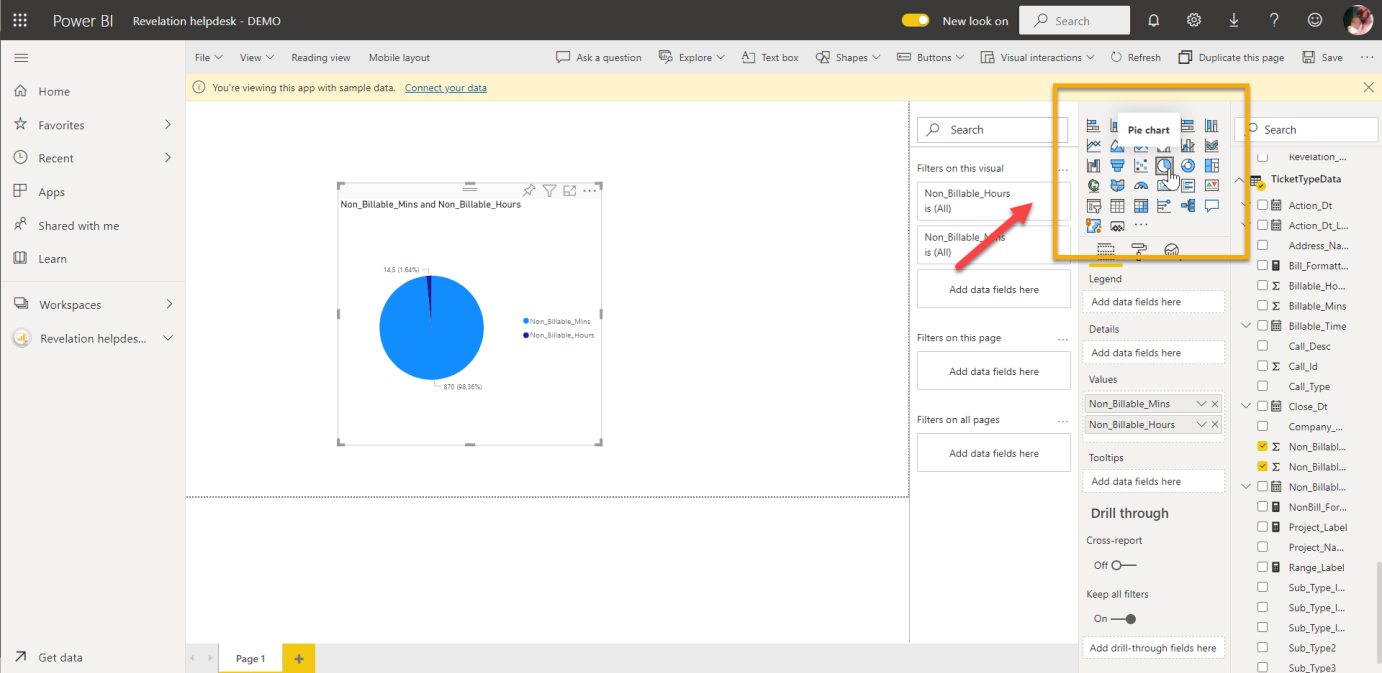
4.) Select a visualization from the options provided. You may also maximize or minimize the size of the visualization.
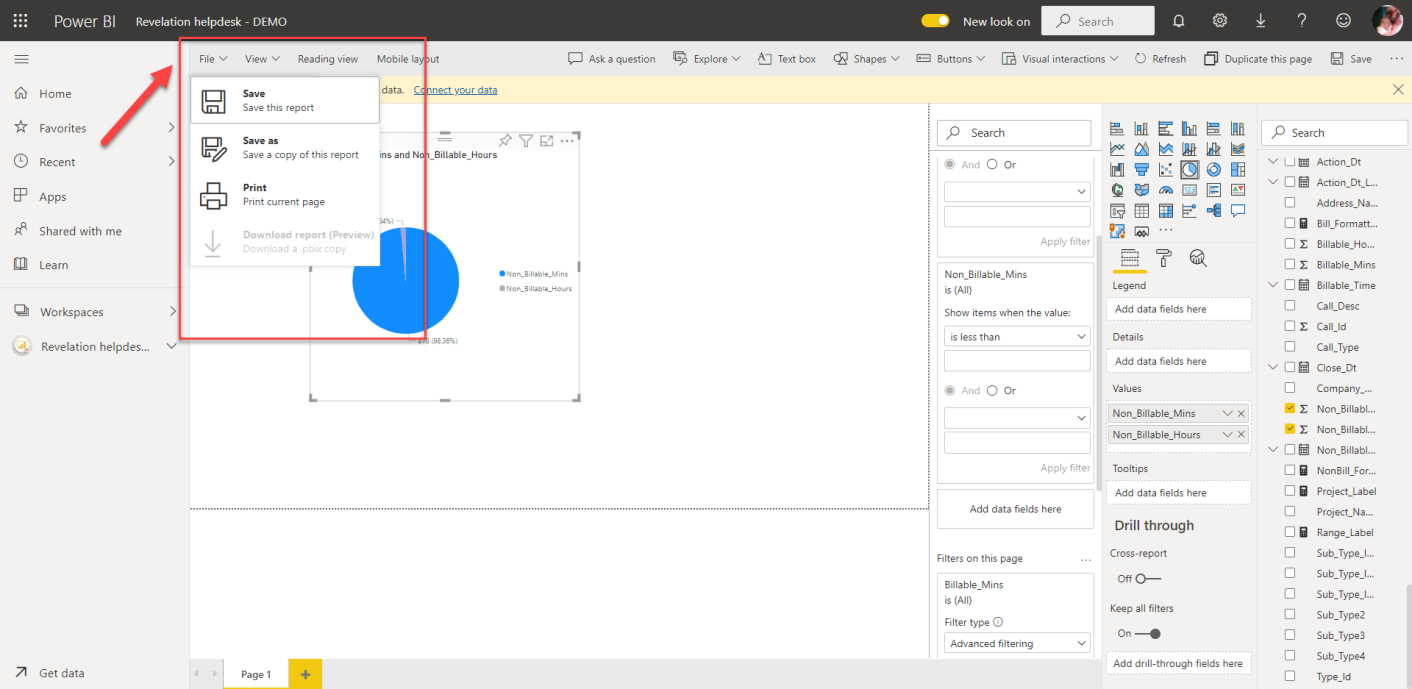
6.) Once you report is complete, select File and click Save. You will be asked to enter a name for your report.
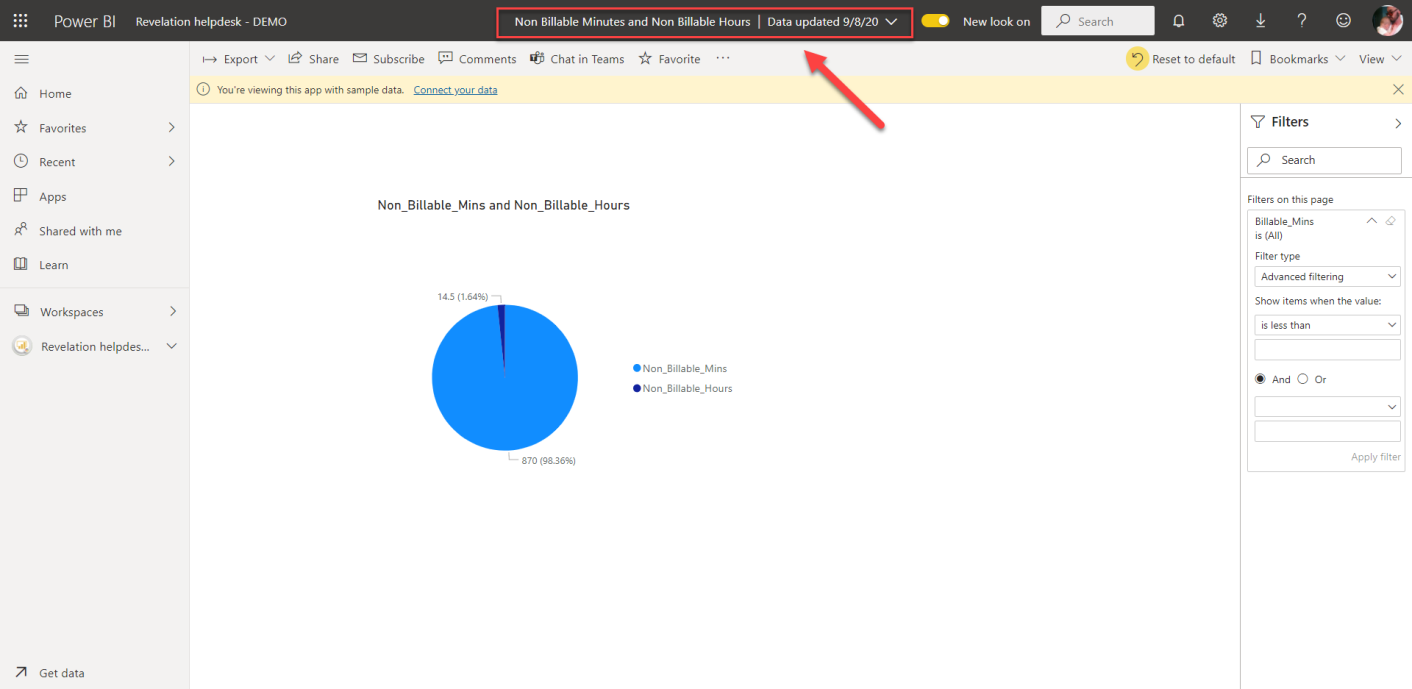
7.) The report is now saved, with the Title of the Report displayed at the top, with a date that shows when the data was last updated.
If further assistance is needed, please refer to the documentation regarding Microsoft Power BI by clicking here.