
Your Account Settings
At the very top of the screen is a drop down where you can personalize your local settings. Click on the drop down by your profile photo and you will see the following:
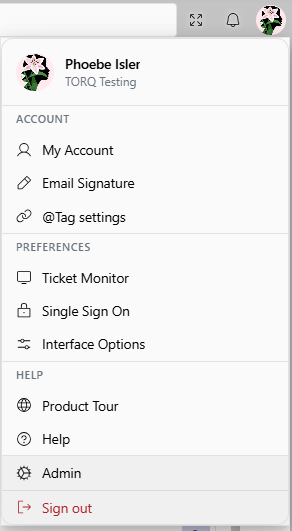
- My Account - Links to the User information page. Edits can be made here if an address or phone number changes
- Email Signature - Set the signature which will be sent with any Revelation emails
- @Tag Settings - Receive notifications via email, Message Feed and or Activity Feed
- Ticket Monitor - Select users or groups to monitor
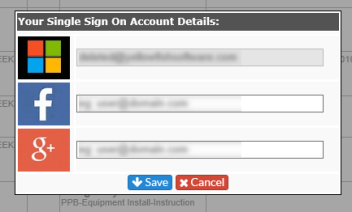
- Single Sign On - Set up your credentials to use Single Sign On, if the option has been activated by your System Admin. You can edit the information in your User Information page.
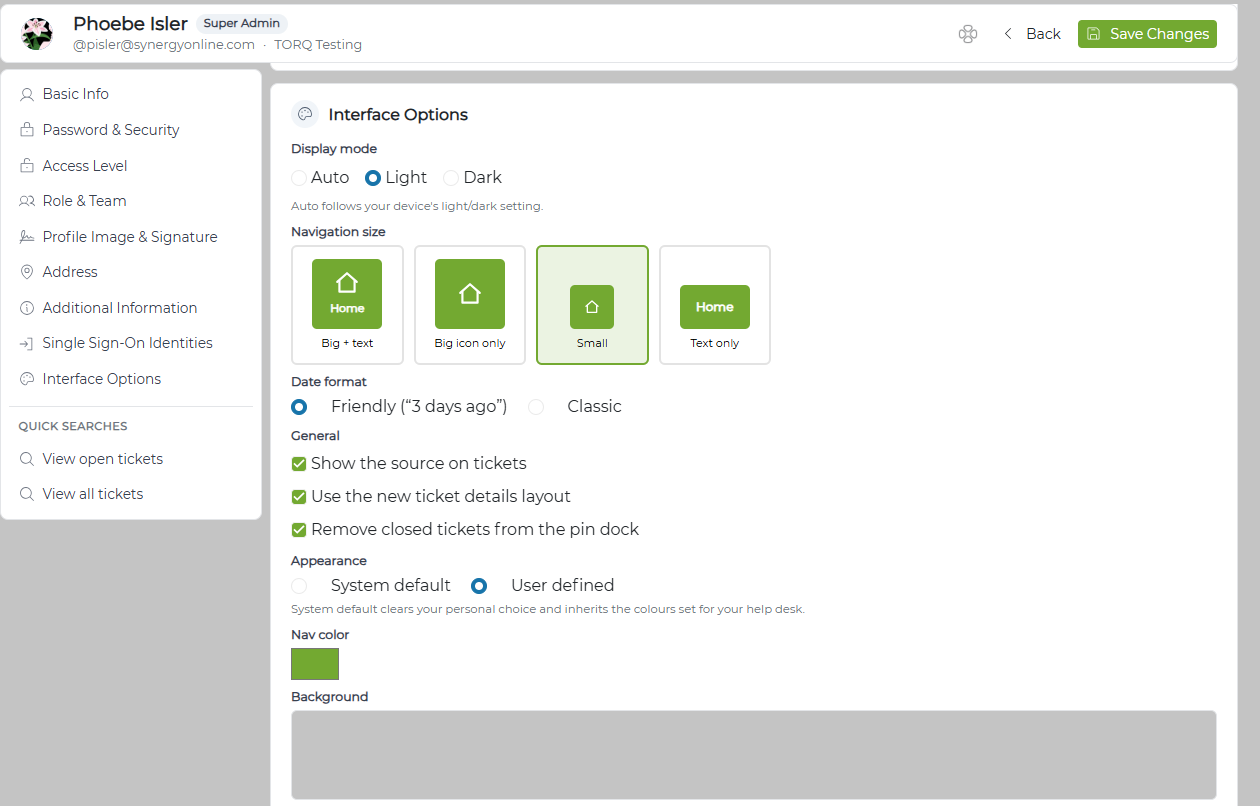
| Display mode | This toggles your Revelation system settings - select Light, Dark, or Auto for your main theme. NOTE: Auto uses your system theme. |
| Navigation size | Select your preferred Masthead format for your Revelation navigation buttons. |
| Date format | Choose between Friendly ("Last Wednesday", "Next Week", etc) and Classic date formatting |
| General | |
| Appearance | Choose whether Revelation users can have their own layout ("User defined") or make the system default the required layout for all Revelation users. |
| Nav color | Select your color for Revelation's navigation buttons in the masthead. |
| Background | If desired, select a background image to use across your Revelation instance. You can select from existing images, upload your own, or choose a solid color. |
- Trial Tour - Run the Free Trial Tour for Revelation helpdesk to see the features available through the Free Trial
- NOTE: this option only appears for Core users
- Product Tour - Run the Product Tour for an overview on the features in Revelation helpdesk
- Help - Open the Revelation help guide in a new tab
- Admin - Navigate to the Admin panel
- NOTE: this only appears for Super Admins
- Sign Out - Sign out of Revelation
The Navigation Size shown below is set as the default. The style and size can be changed in the Interface Options section shown above.
