
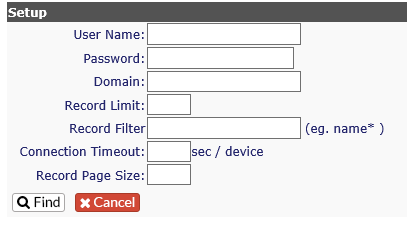
Revelation will perform a discovery on your network, polling computer with WMI scripts and importing that data. To access, Super Admins can click the Network Audit tab and enter the following required data.
Item | Description |
User Name | Windows Authentication, preferably with the broadest access possible |
Password | Tied to the account |
Domain | The domain name you wish to search. It must be the domain the Web Server sits on. |
Record Limit | Total number of objects you would like to return. There is no limit. |
Record Filter | Leave out objects with particular names. (Ex. Desktops) |
Connection Time Out | How long to wait before timing out on an attempt to connect to an asset. |
Record Page Size | How many assets to return per page. |
Each of the new fields can be set to read from whatever WMI class you choose. They can be edited to pull back Memory, CPU, HD Space, etc.; there are over 200 classes from which to choose. Select the ones that are best for you!