
The Description tab allows users editing multiple tickets to update descriptions without manually navigating between each ticket.
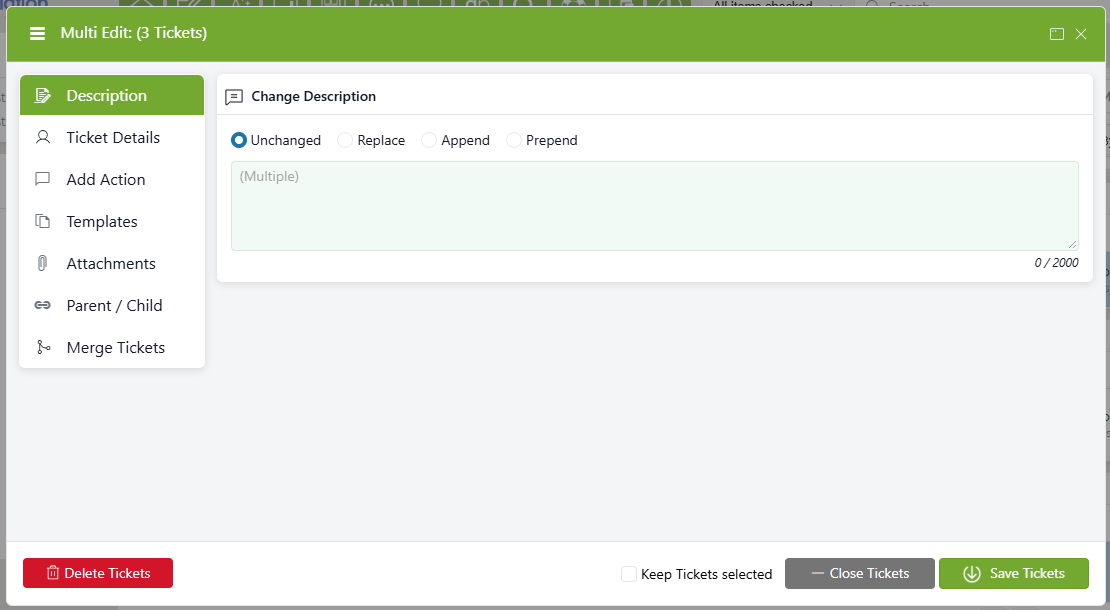
If all the selected tickets have the same description, that description will appear. Otherwise, the ticket descriptions will appear as (Multiple).
When updating descriptions, users can choose between Replacing, Appending, and Prepending the description of the selected tickets.
- A replaced description overwrites any existing ticket description with the new description entered.
- An appended description adds any necessary language to the end of the existing description.
- Example:
- Old Description: "[Existing ticket description]"
- New Description: "[Existing ticket description] Reviewed as part of the September audit."
- Old Description: "[Existing ticket description]"
- Example:
- A prepended description adds any necessary language to the beginning of the existing description.
- Example:
- Old Description: "[Existing ticket description]"
- New Description: "Reviewed as part of the September audit. [Existing ticket description]"