
There will be times when an action note has been added to the wrong ticket, or needs to be broken out to a new ticket. Revelation helpdesk allows you to do both. This page will show you how to move actions to an existing ticket. To split the actions into a new ticket, click here. Configuration of this feature is set in the Admin area.
Note: You will only be able to move actual action notes. You will not be able to move System Actions.
- Open the ticket with the action note to be moved
- Click the action notes that need to be moved - a dotted line will appear around each selected action. You can select multiple actions to be moved.
- Use the toolbar to select the Merge into existing Ticket icon.

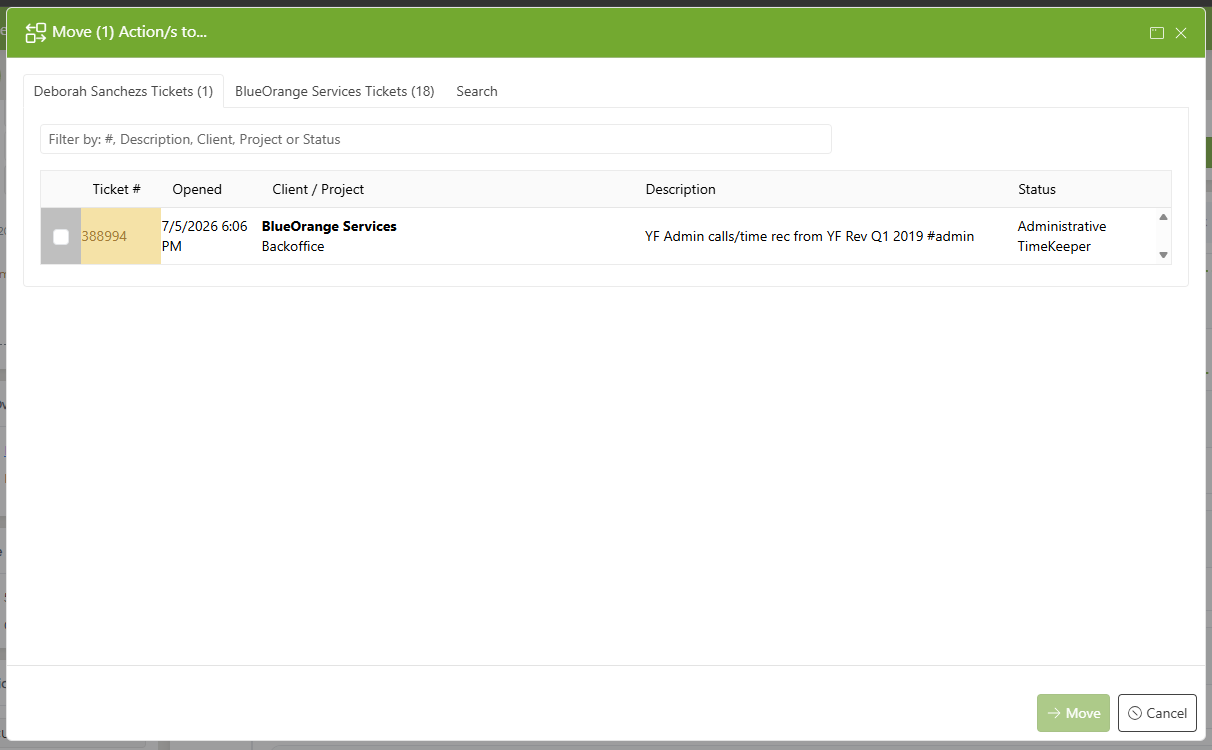
- Select the proper ticket from one of the available tabs:
- User's Tickets: all tickets assigned to the current end user
- Client's Tickets: all tickets associated with the end user's Client/Organization affiliation
- Search: if moving an action to an unrelated ticket, use the Search option to locate the necessary ticket.
- NOTE: You can search by phrase OR ticket number.
- Click Save
All moved Action Notes will move with their time.