
The Revelation helpdesk App is a free Teams app, available through Microsoft Teams App Store
Click the icon to go to the Revelation helpdesk Apps & Add-Ons: 
To install the Revelation helpdesk M365 App for your organization
- Ask your Microsoft 365 Global Administrator to log in to the Teams Admin portal here: https://admin.teams.microsoft.com/
- Under Teams apps, click on Manage Apps:
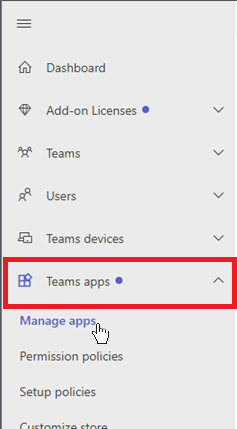
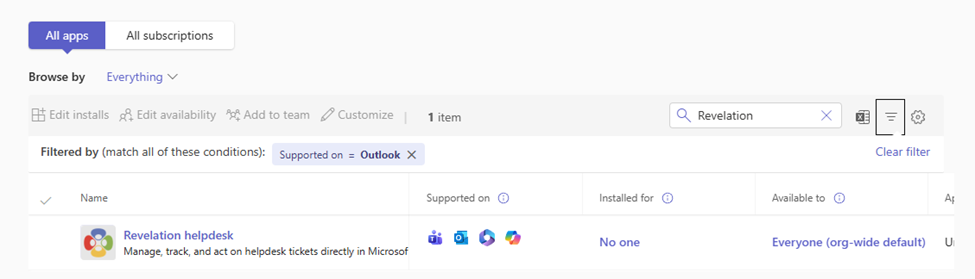
- Search for Revelation helpdesk and open the app.
NOTE: the M365 app is supported in Outlook, so including that filter will ensure you download the correct one.
- Once the app page is open, navigate to the Users and groups tab.
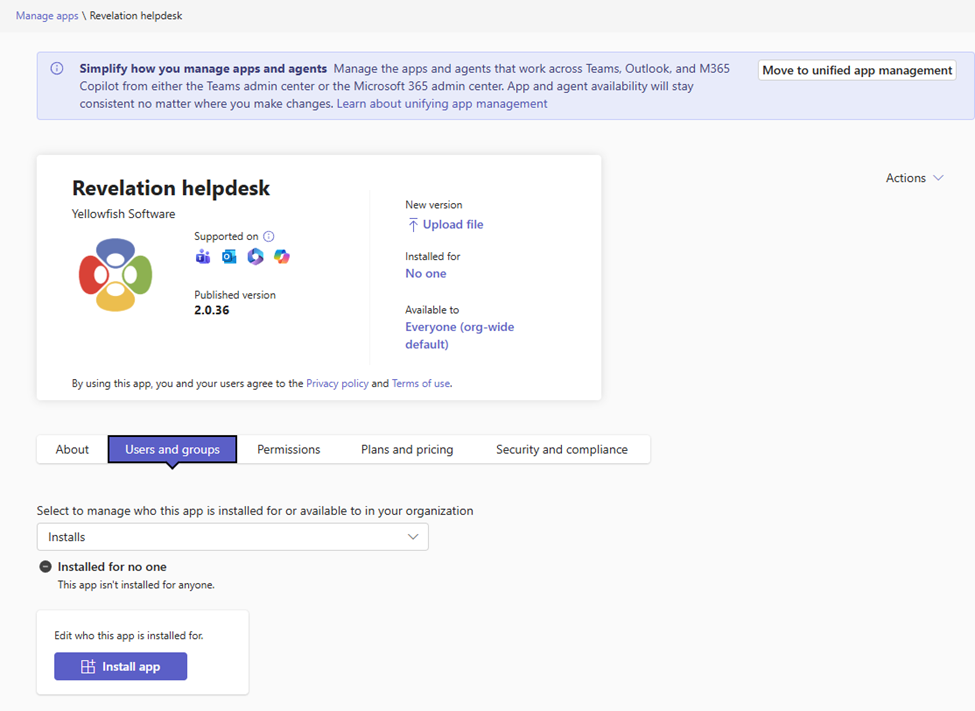
- Select the Install app button. Microsoft will prompt you to choose who should get the install: Everyone or Specific users or groups.
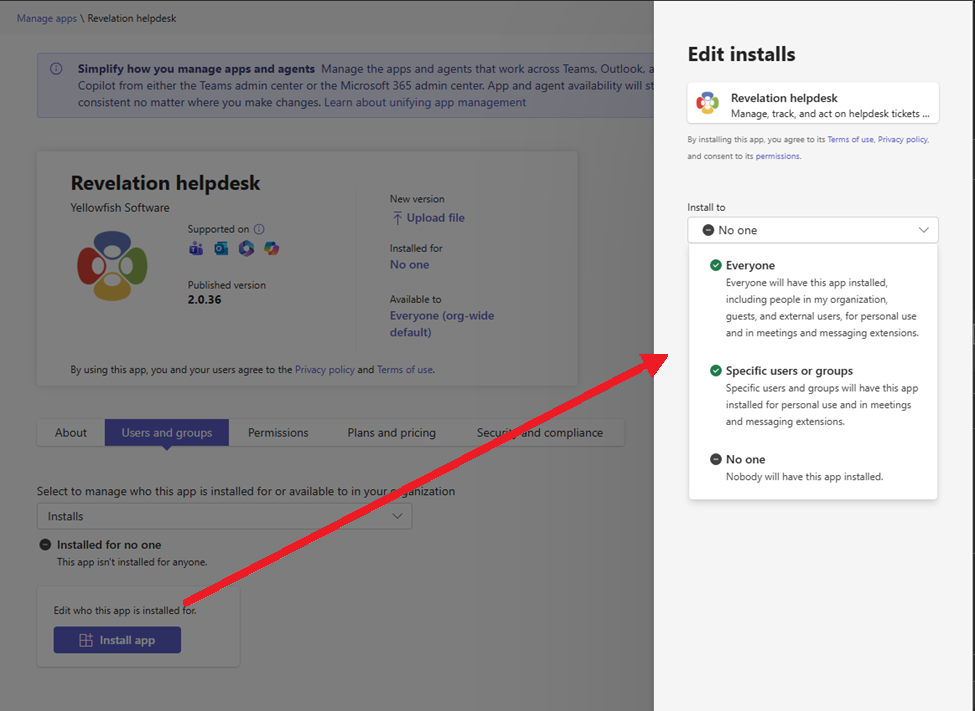
- Make your selection and click Apply to install the app.