
If the email parser is enabled, clients can log a ticket by emailing Revelation helpdesk directly.
NOTE: If Associated Contacts is active in the Admin area, those listed as CC: on the email will automatically be added to the ticket as an Associated Contact. If an email is sent from within the ticket, and contacts are added as a CC:, they will be added to the ticket as Associated Contacts and receive email notifications if set in Project Alerts.
This feature is not available for Core users.
For example:
A client sends in an email that includes text and an attachment. Revelation will take the email and turn it into the following, using the default SLA for the project if SLAs are active:
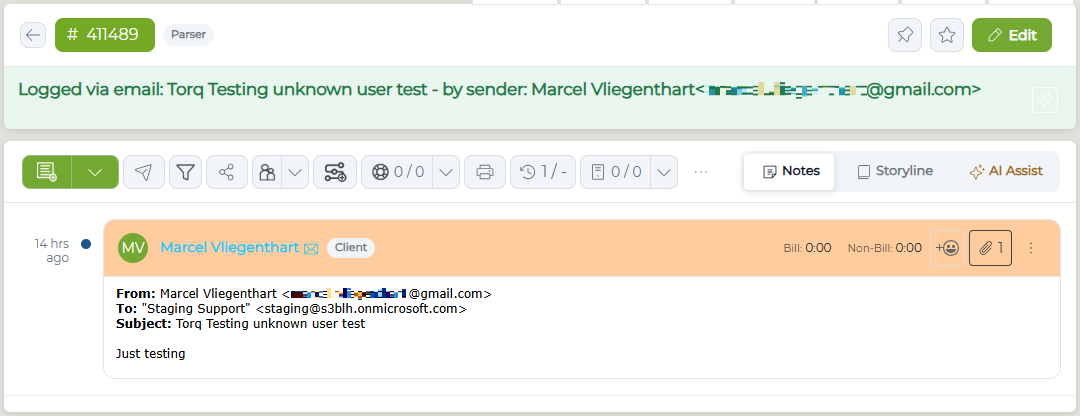
- The ticket notes will show the first 6,000 characters of the email body with the following text: ... note truncated by Email Monitor and is attached to the action
- Embedded images and attachments will be added as attachments to the action note
- If there are more attachments than allowed within an action note, additional action notes will be created with the attachments