
By default, Power BI Report Integration is set to OFF in the Revelation helpdesk admin area.
This MUST be turned on in order to generate the necessary Client ID & Passcode to connect your data in the Revelation helpdesk Power BI App.
Please Note: This is an advanced feature that requires a Top Level Admin role in Revelation helpdesk.
To turn ON:
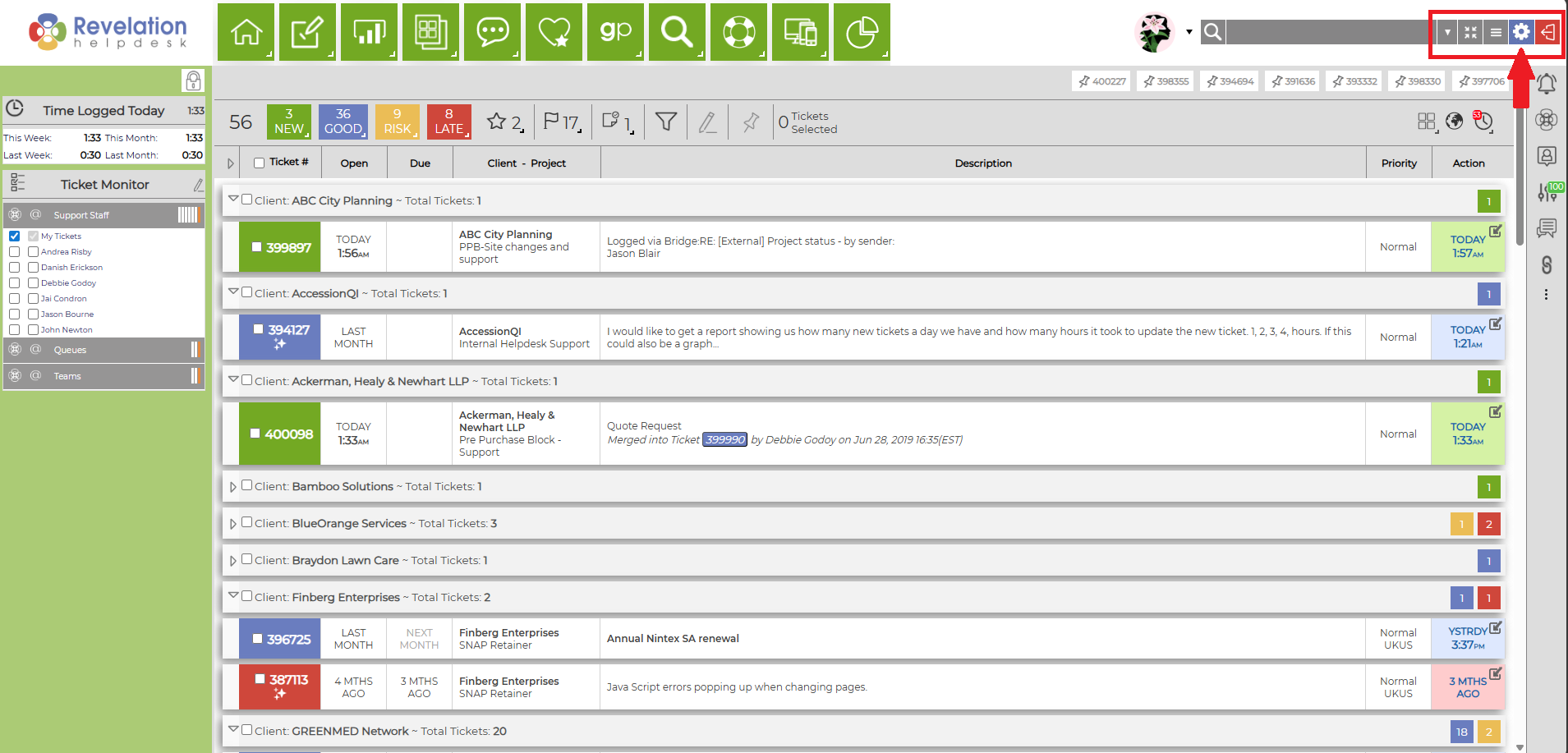
1.) Click on the Admin icon at the top right.
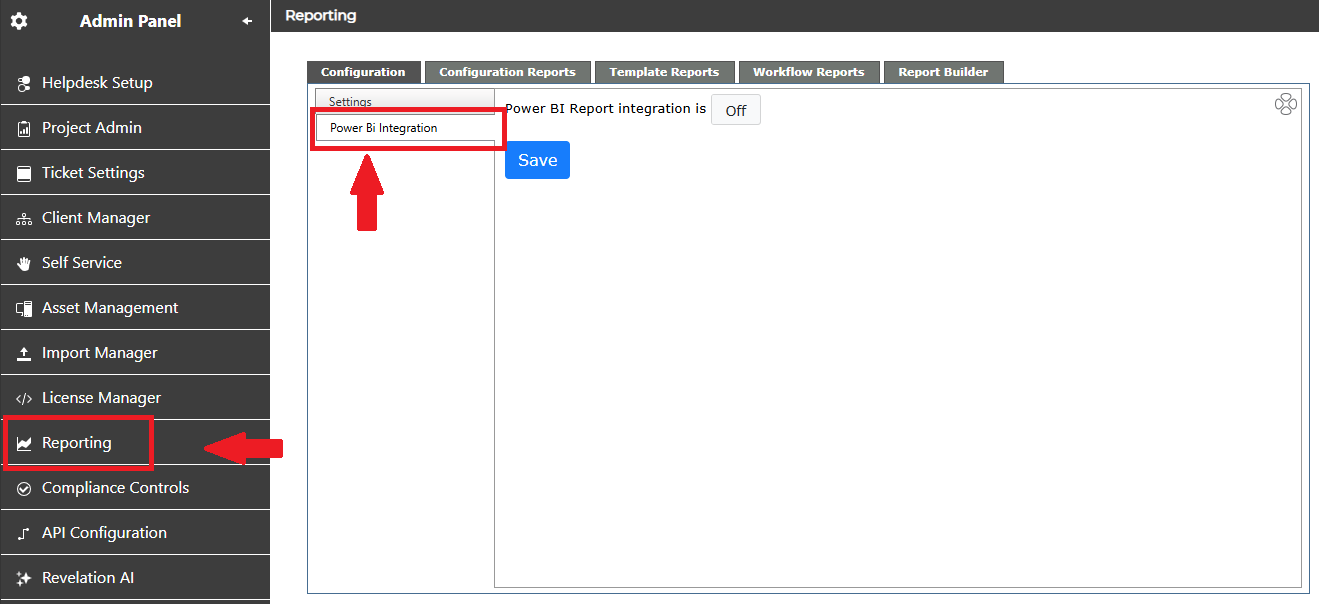
2.) Within the Admin Panel, select Reporting; then select Power BI Integration
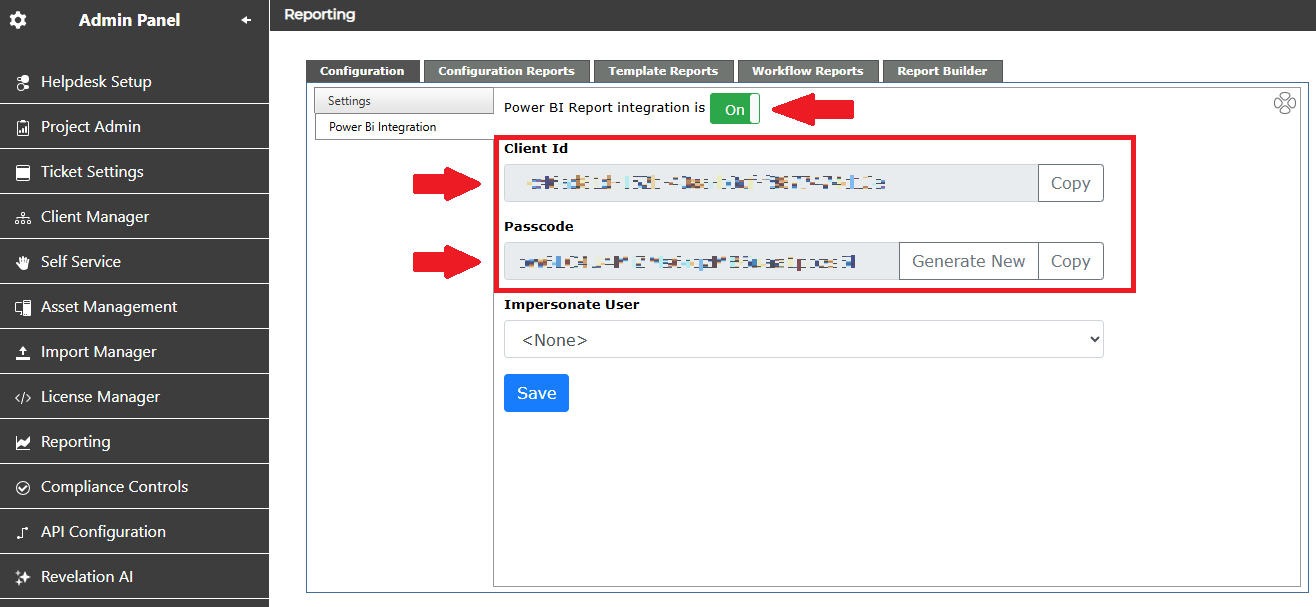
3.) Click the toggle to slide it from OFF to ON. A Client ID code & Passcode will then be generated.
These generated codes will be used to securely connect you to your Power BI App workspace.
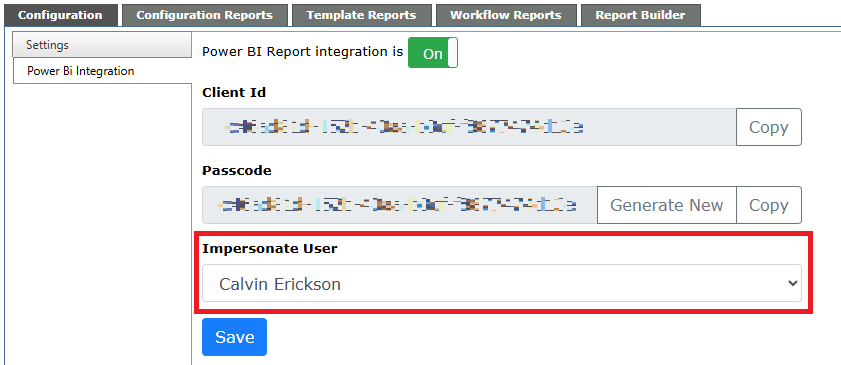
NOTE: By default, your Client ID and Passcode will allow for anyone to view the entirety of your Revelation helpdesk data through the Power BI App. In the event you prefer to only share data based on an end user's security level/role, you can select an end user under Impersonate Use. This will generate a specific Client ID & Passcode, which will only allow for visible data that user has been giving access to.
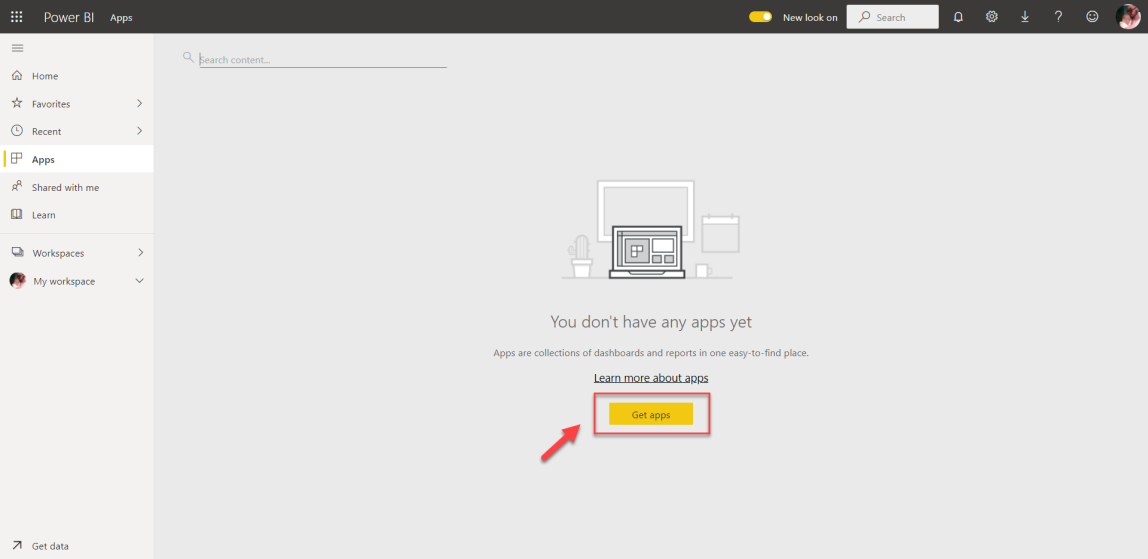
4.) Open your Power BI account. Click Get apps
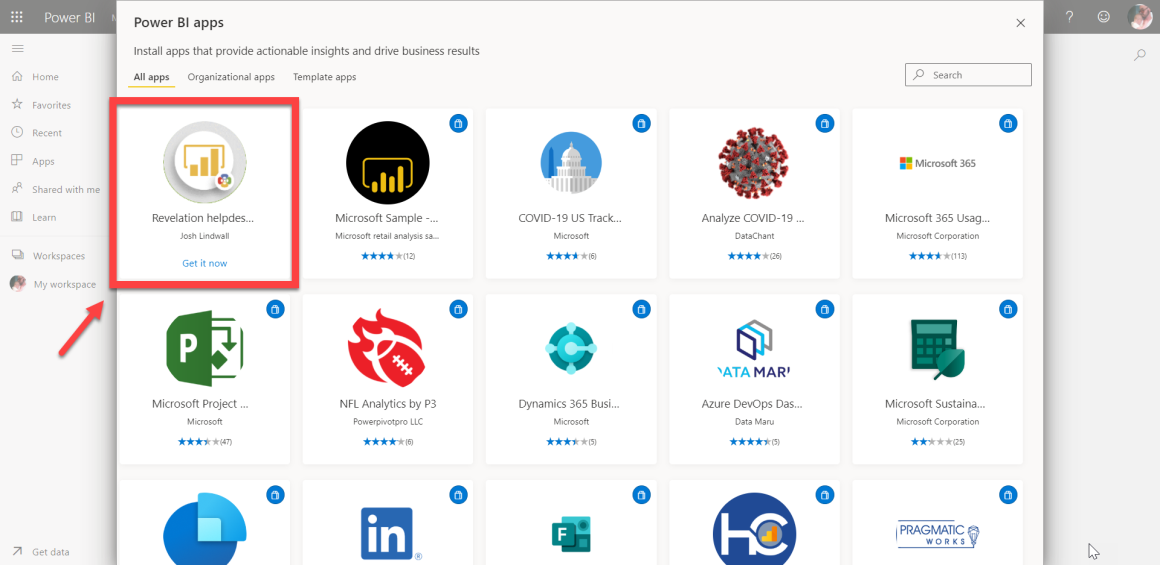
5.) Using Search, type in Revelation helpdesk. Select Get it now on Revelation helpdesk App
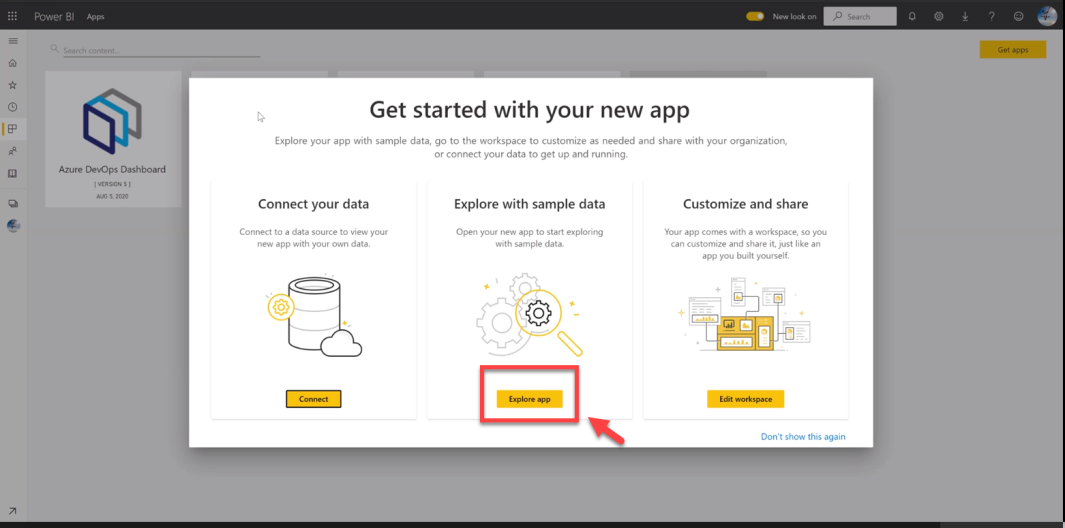
6.) Once the App has been installed, a prompt will appear where you can select Explore with sample data & reports. Click here to preview samples.
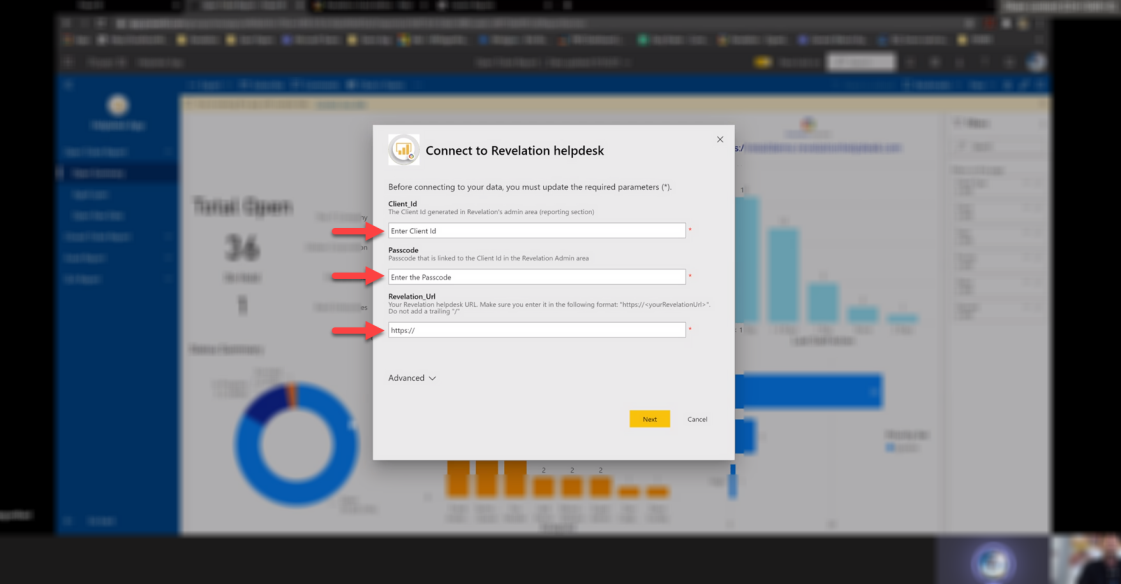
7.) If you choose Connect under Connect your Data; you will then be prompted to enter your Client ID & Passcode, generated from Revelation helpdesk in the Power BI Integration admin section; as well your organization's Revelation helpdesk Url. Once input, select Next.
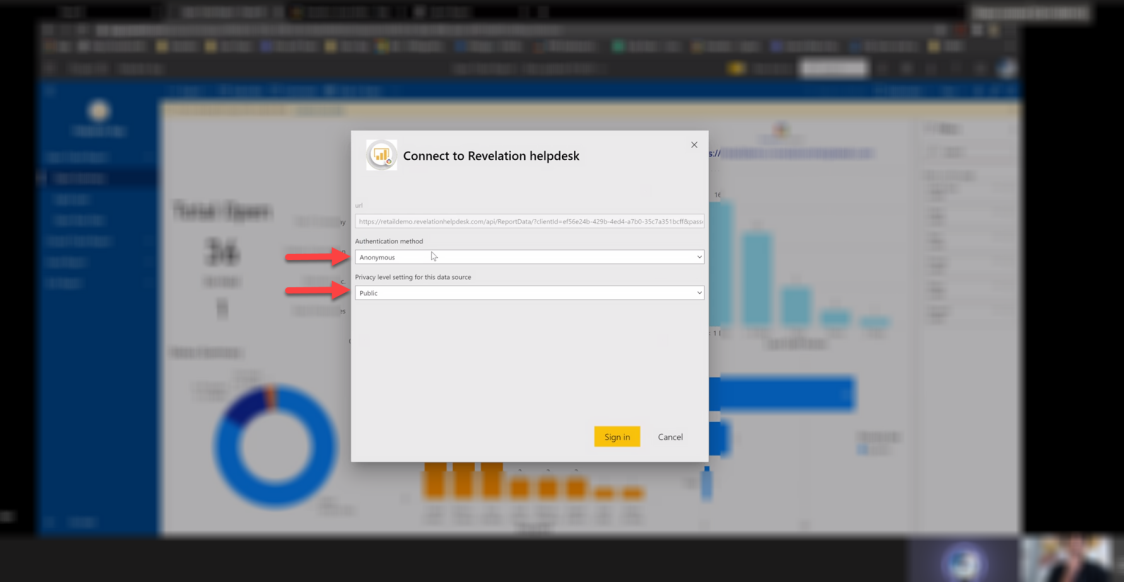
8.) Next, you will be prompted to choose an Authentication Method and Privacy level setting for this data source.
The Authentication Method should be set on Anonymous; and the Privacy level set on Public. Then, click Sign in.
If further assistance is needed, please refer to the documentation regarding Microsoft Power BI by clicking here.