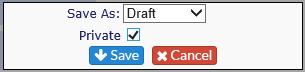
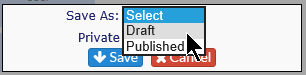
After you create a report, and you are ready to save it, you are given the option to save one of two ways:
Report Status
-
Published
-
-
Published reports are visible to anyone who can see the Report Builder tab in Revelation.
-
-
Draft
-
-
Not visible on the Report List – Report Builder tab.
-
These reports are visible in Report Builder only.
-
Private option
When you are saving a report, the final dialog box provides a Private option. When this check box is selected, the report will show on your list of reports, but will not be visible to any other user, no matter the level.
If you publish the report, you will see it on your list of reports on the Report Builder Reports tab, but no one else will see it.