
Emoticon Reactions allows users to like - and react to - action notes within a ticket, which will appear in the user's Notification feed.
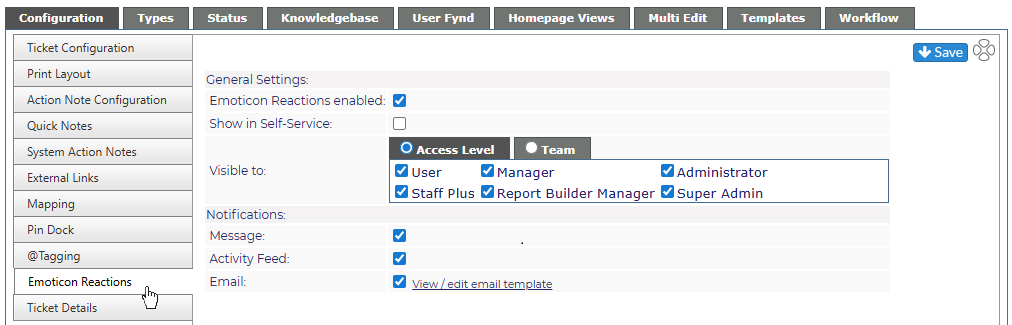
Items are as follows:
General Settings
- Emoticon Reactions enabled determines whether emoji reactions are available to staff at all.
- Show in Self-Service - if checked, emoji reacts will work on the Self-Service interface as well for clients
Visible To
Select visibility by Access Level or Team
Notifications
Select how the person receiving the emoji reaction will receive their notification
- Message - through the Message Feed in Revelation.
- Activity Feed - through the Activity Feed in Revelation.
- Email - receive an email with the information.