Note: This option is only available if Asset Management is active.
Search by Client or Device, the Asset Search allows users to see all or a specific asset by either criteria.
The following options are all available from the left side of the screen:
Client Type: Select Client Type from drop down.
Client: Select a specific client or leave at default (Select One)
Device: Select from the drop down (based on the information in Revelation) or leave at default for all
Manufacturer: Select the Manufacturer or leave at default to show all.
Model: Model can only be selected if a Manufacturer is selected.
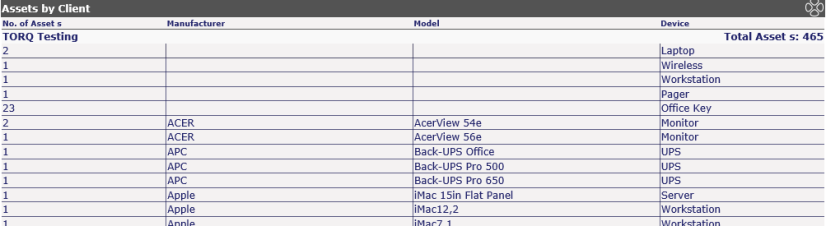
If left at defaults, all assets in the system will display, sorted by client. The column headers for the listing are No. of Assets, showing the total for the item; Manufacturer; Model and Category (based on what is listed in Revelation).