
Ask Rai
Ask Rai provides a system-wide way to interact with your Revelation helpdesk data using natural language. Ask questions to find tickets, explore ticket activity and workload, and generate supported metrics and charts using the information available within Revelation.
As with all other Revelation AI features, Ask Rai works exclusively with information contained within your Revelation instance. It does not search the internet or retrieve information from external sources. Ask Rai's responses are grounded in your organization's available data within Revelation.
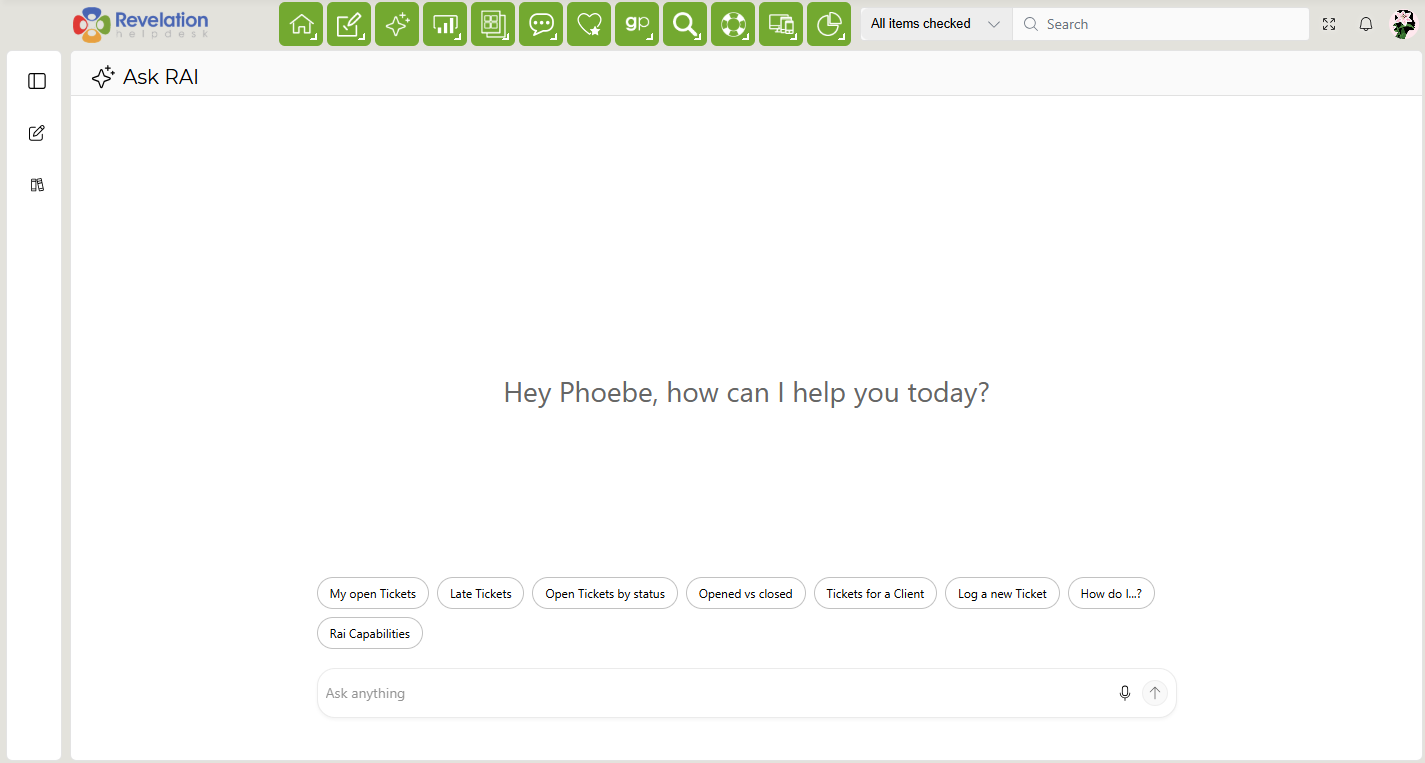
Using Ask Rai
Enter a question or request into Ask Rai to begin. Ask Rai uses live Revelation ticket data to respond to your request.
You can use Ask Rai to find tickets, explore workload and trends, and ask questions about the information available within your Revelation instance. Depending on your request and the available data, Ask Rai can also provide metrics and charts to help present the results.
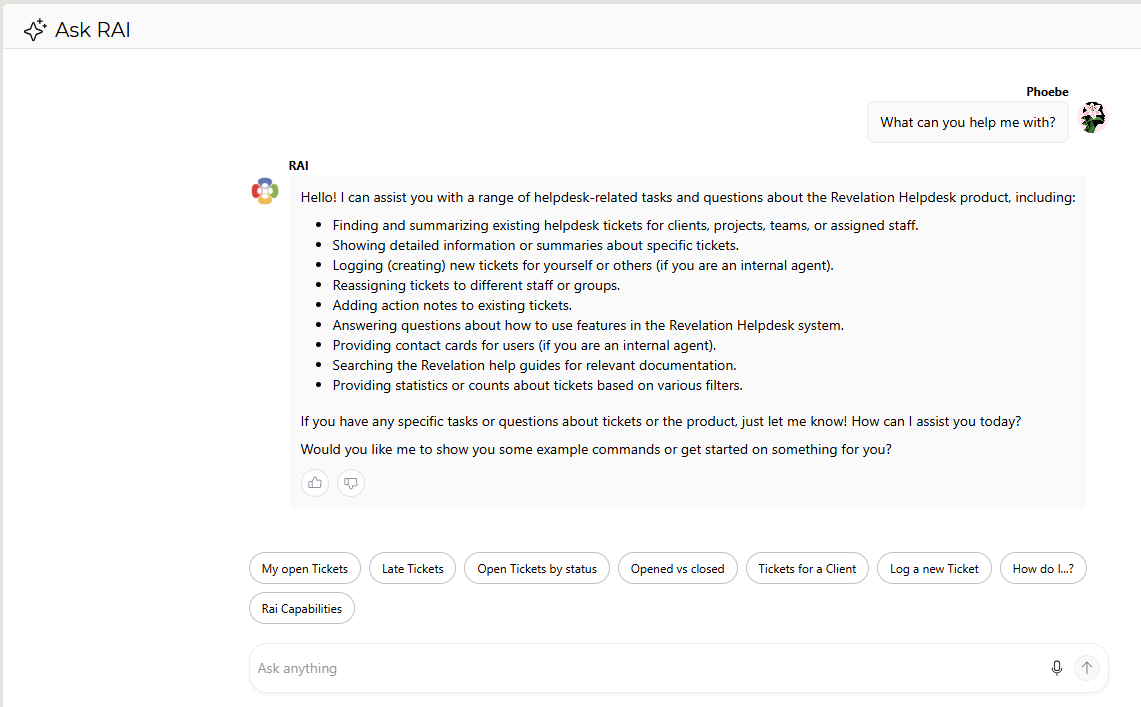
Ask Rai comes with pre-built prompts, as show in the above screenshot, but you can ask any natural language question when using Ask Rai. You can also customize the pre-built prompts that appear to your staff in the Admin area.
Working with Ask Rai Results
Ask Rai provides ticket-aware context when responding to your questions, helping connect its responses to the relevant information within Revelation.
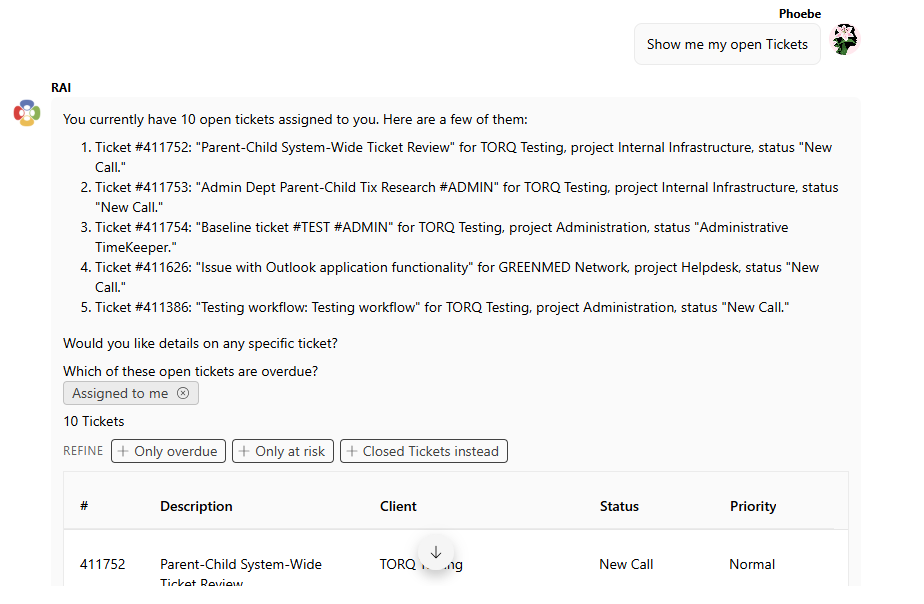
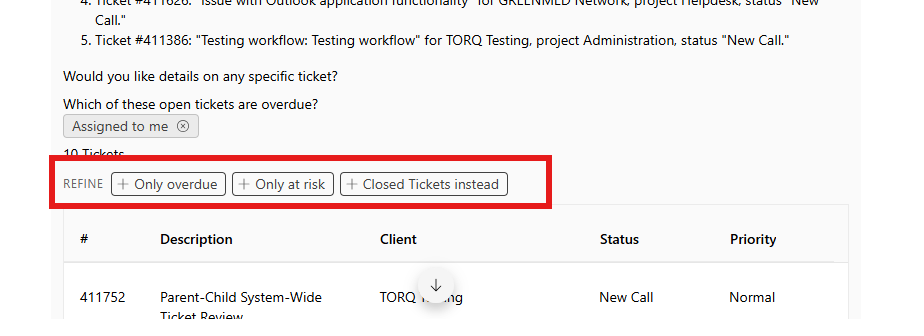
After receiving a response, you can continue the conversation with additional questions or refine Rai's response based on the results it populates.
Saved Prompts
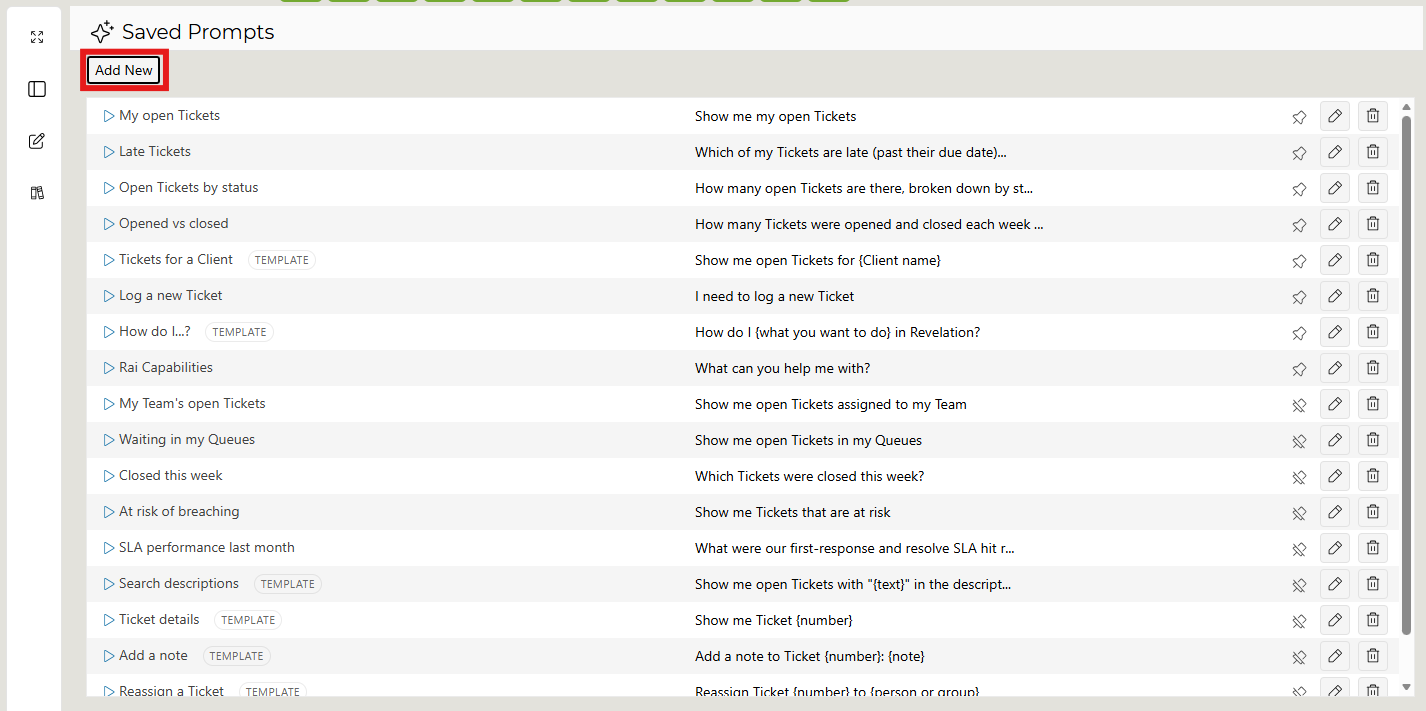
Frequently used questions and requests can be saved as prompts in Ask Rai, making it easier to return to them without entering the same request each time. Click the Favorite Prompts icon in the left toolbar.

A list of all your saved prompts will appear. Click Add New in the top left corner to create a new saved prompt.
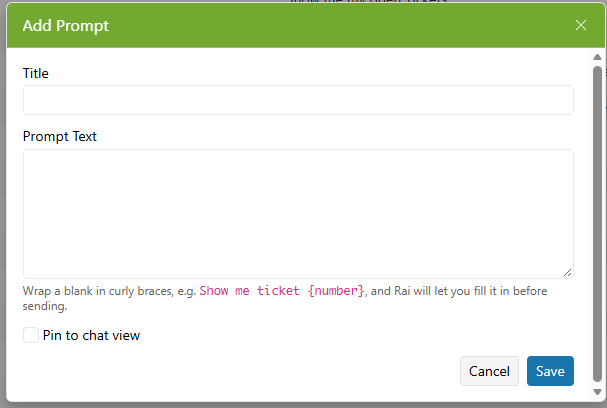
An Add Prompt window will pop up. Add a prompt title and prompt text. If you want the prompt to be pinned in Ask Rai's chat, select Pin to chat view. Once prompt is titled and written out, click Save to add it to your list of saved prompts.
You can edit any saved prompts by clicking the edit pencil at the far right of each prompt line item.
To delete a saved prompt, click the trash can icon located next to the edit button.
To pin a saved prompt from your saved prompt dashboard, click the pin icon.
Ask Rai and Revelation AI
Ask Rai expands Revelation's existing AI capabilities by providing a system-wide way to ask questions about your Revelation data.
Other Revelation AI features, including AI Assist, AI Edit, and AI Suggest, remain available for their respective functions within Revelation.