
You can select parameters for items by clicking on the pencil icon or the Field name.
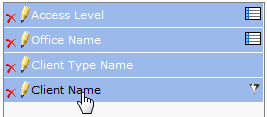
Depending on the item chosen, the available parameters will change, based on the relevant item.
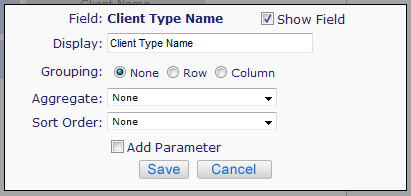
-
Display Name can be changed make it specific to your needs
-
Show Field - If unchecked, the field will not be shown on the report
-
-
If the field is not shown, the field will appear at the bottom of the field list in Report Builder. It does not affect the generation of the report.
-
-
Grouping can be left as is or made to a Row or Column
-
Aggregate can be left at the default, Row count, Unique Count, First or Last
-
Sort order – Ascending, Descending, default
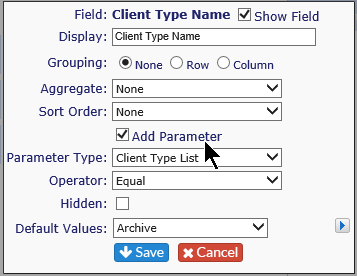
If additional parameters are available, there will be a check box. Tick this box to bring up the parameters available for the particular field:
-
Parameter Type: In most cases, it will be the list of items based on that field name.
-
Operator: Also based on particular field
-
If Hidden is checked, the parameter will be used to compile the report, but will not be shown on the report screen
-
Default Value – You can select if you want the report to run based on the default value or have a specific value showing other than the default
-
If you choose a filter, the filter icon will appear

Remember to hit Save when you finish setting the options.
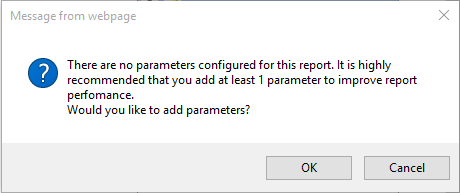
If you have not set parameters for the report, you will get the following warming:
-
If you wish to add parameters at this time, click OK to be returned to the edit screen; if not, click Cancel